Disclosure: This article may contain affiliate links. As an Amazon Associate I earn from qualifying purchases.
Editorial note: This guide is based on current manufacturer specifications and Australian availability. We have not conducted hands-on laboratory testing of every printer listed. Specifications, stock and marketplace sellers can change.
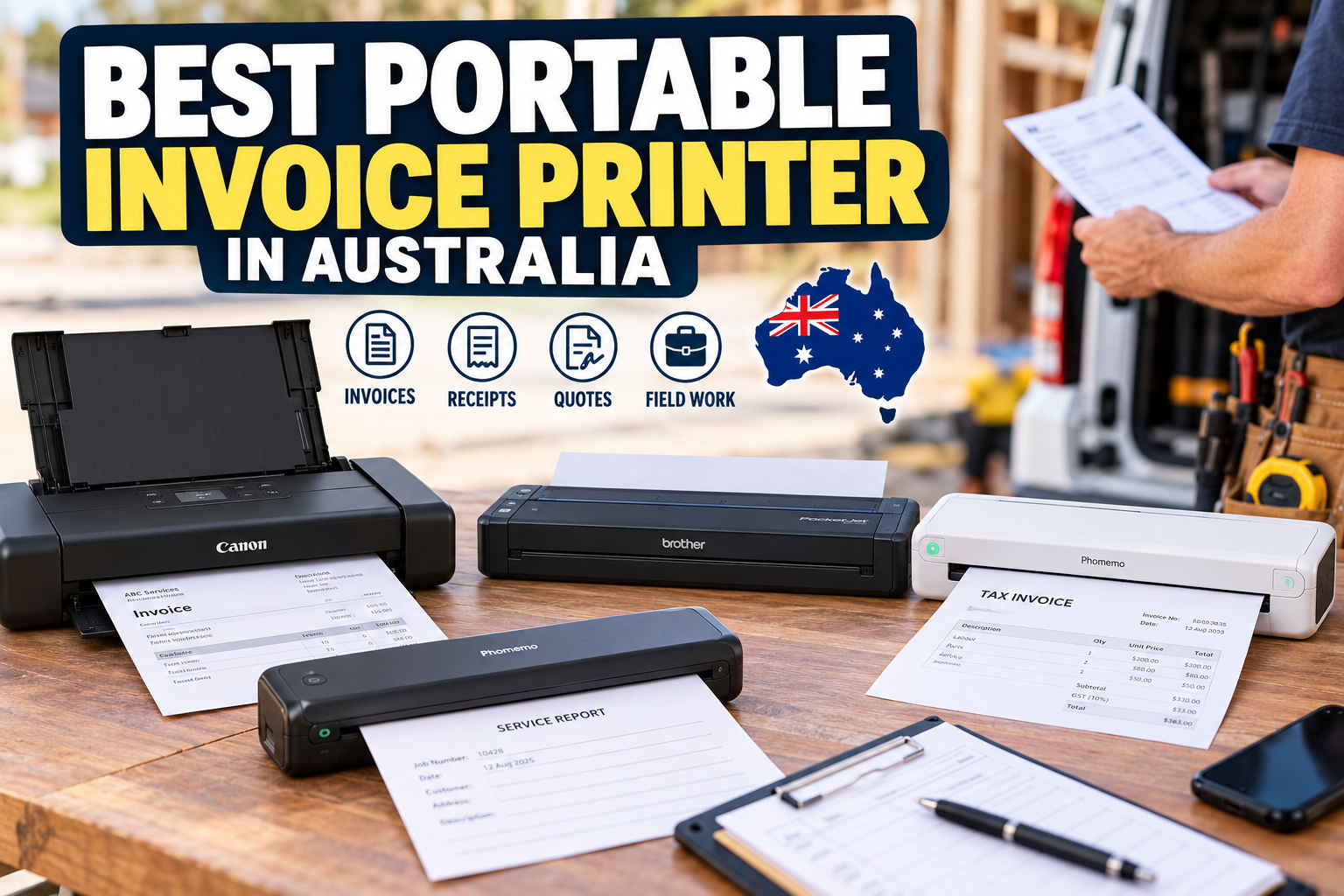
A portable invoice printer can be useful if you run a mobile business and need to print invoices, quotes, contracts, receipts or other documents while you’re away from a normal office.
But there is an important distinction between a small mobile receipt printer and a portable A4 printer.
If you only need short receipts or transaction summaries, a compact 58mm or 80mm mobile thermal printer may be enough. For detailed invoices, quotes and contracts, we generally prefer a full A4 portable printer.
That is especially true if your documents contain multiple line items, customer details, GST information, payment terms or signatures.
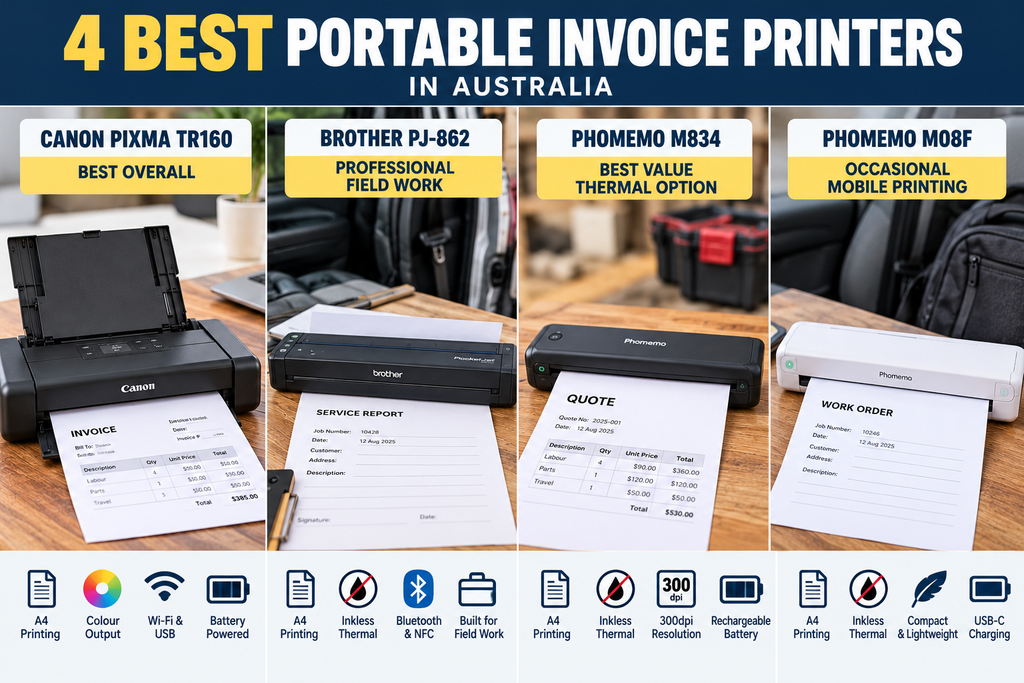
For most Australian mobile businesses wanting professional full-page documents, we’d start by comparing the four A4 models below.
Best Portable Invoice Printer in Australia: Quick Picks
| Printer | Best for | Technology | Colour |
| Canon PIXMA TR160 | Best overall | Portable inkjet | Yes |
| Brother PJ-862 | Professional field work | Direct thermal | No |
| Phomemo M834 | Best value thermal option | Direct thermal | No |
| Phomemo M08F | Occasional mobile printing | Direct thermal | No |
Quick recommendation: choose the Canon PIXMA TR160 if you want conventional invoices printed on ordinary A4 paper.
If portability and avoiding ink cartridges matter more, the Brother PJ-862 is the more business-focused thermal option.
The Phomemo M834 and M08F are lower-cost alternatives for occasional mobile A4 document printing.
1. Canon PIXMA TR160 – Best Overall Portable Invoice Printer
Best for: tradespeople, sales representatives and mobile professionals who want normal A4 invoices, quotes and contracts.
The Canon PIXMA TR160 is the most conventional printer in this comparison.
Rather than using specialised thermal paper, it is a portable colour inkjet that can print on ordinary A4 paper.
That gives it a major advantage if you want your mobile documents to look much like something produced by a normal office printer.
Key features include:
- A4 document printing
- black-and-white and colour output
- Wi-Fi connectivity
- mobile printing
- USB connectivity
- rechargeable battery operation
- up to 50 sheets of plain-paper capacity
- approximately 9ipm black document printing
- approximately 5.5ipm colour document printing
Why it suits invoices
The biggest advantage is the ability to use ordinary paper.
That makes the TR160 useful for documents containing:
- business branding
- colour logos
- itemised invoices
- quotes
- terms and conditions
- service reports
- contracts
- signatures
You also aren’t limited to black-and-white output.
For businesses where documents are handed directly to customers, that may feel more professional than a thermal sheet.
What to consider
You still need ink cartridges.
Like other inkjets, it is also better suited to reasonably regular use than sitting unused indefinitely.
If your portable printer may go weeks between jobs, our guide on how often you should use an inkjet printer explains why periodic printing matters.
Our view: if we wanted a portable printer specifically for normal A4 business documents, the TR160 would be our starting point.
Check the Canon PIXMA TR160 on Amazon Australia
2. Brother PJ-862 – Best Professional Mobile Business Printer
Best for: field technicians, delivery businesses, mobile service operations and businesses regularly printing from vehicles.
The Brother PJ-862 takes a very different approach.
It uses direct thermal technology, so there are no ink or toner cartridges.
Brother designed the PocketJet range specifically around mobile professional printing rather than occasional home use.
Key features include:
- A4 mobile document printing
- up to approximately 13.5 pages per minute
- 203dpi output
- Bluetooth connectivity
- NFC
- USB-C connectivity
- rechargeable battery support
- A4, A5, Letter and Legal formats
- support for several thermal media formats
Why it suits field businesses
The PJ-862 makes sense when the printer is part of your working equipment rather than something you occasionally take on a trip.
Typical documents could include:
- invoices
- work orders
- quotes
- service reports
- delivery documentation
- contracts
- customer acknowledgements
Brother’s professional mobile-printer range also has a stronger ecosystem of vehicle and field accessories than most consumer portable printers.
What to consider
You need compatible thermal paper.
You also don’t get colour.
For permanent paperwork that needs to remain physically readable for many years, we’d prefer conventional printing or make sure a secure digital copy is retained.
If you’re comparing printer technologies, see our thermal printer vs laser printer comparison.
Our view: the PJ-862 is the strongest option here for a business that genuinely needs professional printing in the field.
We did not find an exact Brother PJ-862 Amazon Australia listing, so we have not added an affiliate purchase link for this model.
3. Phomemo M834 – Best Value A4 Thermal Invoice Printer
Best for: sole traders and mobile workers wanting full A4 thermal printing without moving into professional Brother pricing.
The Phomemo M834 is one of the more flexible consumer portable thermal printers currently available.
Unlike a narrow receipt printer, it can produce full-page A4 or Letter documents.
Its main specifications include:
- 300dpi thermal printing
- A4 and Letter support
- Bluetooth mobile printing
- USB computer printing
- single-sheet thermal paper
- folded thermal paper
- thermal roll support
- 2600mAh rechargeable battery
That makes it useful for invoices, contracts, notes, forms and other black-and-white business documents.
Why we like it
The 300dpi resolution gives it an advantage over many 203dpi portable thermal printers.
It also supports multiple paper formats, which makes the printer more flexible than some basic A4-only models.
We cover the model in much more detail in our Phomemo M834 printer review.
Check the Phomemo M834 on Amazon Australia
What to consider
It is still a direct thermal printer.
That means:
- no colour
- special thermal paper is required
- thermal output may not be ideal for long-term archival storage
Our view: for someone who wants affordable full-page mobile invoice printing without ink, this is probably the consumer model we’d compare first.
4. Phomemo M08F – Best for Occasional Mobile Invoice Printing
Best for: mobile workers who print occasionally and want something simple and compact.
The Phomemo M08F is another portable direct thermal document printer.
It is less feature-heavy than the M834 but still provides the core functions needed for mobile A4 printing.
Key specifications include:
- 203dpi thermal printing
- A4 or Letter versions
- Bluetooth mobile printing
- USB computer printing
- 1200mAh rechargeable battery
- USB-C charging
- approximately 715g weight
There is no ink or toner to carry, making it easy to keep in a work bag or vehicle.
For the full specifications and limitations, read our Phomemo M08F portable printer review.
Check the Phomemo M08F on Amazon Australia
What to consider
The M08F prints at 203dpi rather than the M834’s 300dpi.
It also requires thermal paper and prints only in black and white.
Our view: we’d choose it for occasional invoices and documents where compact size and simplicity matter more than maximum print quality.
Portable Invoice Printer Comparison
| Printer | Paper | Colour | Resolution | Best use |
| Canon PIXMA TR160 | Ordinary A4 paper | Yes | Up to 4800 × 1200dpi | Professional invoices and contracts |
| Brother PJ-862 | Thermal media | No | 203dpi | Professional field work |
| Phomemo M834 | Thermal sheets, folds and rolls | No | 300dpi | General mobile business use |
| Phomemo M08F | A4/Letter thermal paper | No | 203dpi | Occasional portable printing |
A4 Invoice Printer vs Portable Receipt Printer
This is probably the most important distinction when shopping for a portable invoice printer.
Google results for this type of search often include small 58mm and 80mm mobile receipt printers alongside full A4 printers.
They aren’t necessarily substitutes for each other.
A portable receipt printer is better for:
- short payment receipts
- order summaries
- delivery confirmations
- tickets
- basic transaction records
- POS systems
An A4 portable printer is better for:
- detailed invoices
- quotes
- contracts
- service reports
- work orders
- documents requiring signatures
A receipt printer can still print invoice information, but the narrow layout becomes restrictive when the document contains many line items or detailed terms.
For professional full-page business documents, we’d normally choose A4.
If your workflow also involves scanning signed forms, contracts or customer paperwork, see our guide to the best portable printer and scanner for mobile all-in-one and separate scanner setups.
Do Australian Invoices Have to Be Printed on A4 Paper?
No.
An invoice does not become valid simply because it is printed on A4 paper.
What matters is that the document contains the information required for the type of invoice you’re issuing.
Invoices can also be supplied electronically rather than printed.
For businesses registered for GST, tax invoices have specific information requirements depending on the transaction.
That means your accounting or invoicing software matters just as much as the printer.
If you’re unsure about your invoicing obligations, check the current Australian Taxation Office guidance or speak with your accountant.
Thermal vs Inkjet for Printing Invoices on the Road
Choose a portable inkjet if:
- you want ordinary A4 paper
- you want colour
- you use branded invoices
- you need long-term physical documents
- you may print photos or diagrams
Choose a portable thermal printer if:
- you want to avoid cartridges
- black-and-white printing is enough
- portability is the priority
- the printer will travel regularly
- you are happy buying thermal paper
If you’re unsure about thermal technology, our guide on whether inkless printers are worth it covers its main advantages and limitations.
What to Look for in a Portable Invoice Printer
1. Paper size
First decide whether you actually need A4.
If you’re only handing customers a short receipt, a small thermal printer may be cheaper and easier to carry.
If you’re producing detailed invoices or contracts, A4 is usually much easier to read.
2. Paper type
Portable inkjets generally use normal paper but need ink cartridges.
Direct thermal printers don’t need ink, but they require compatible thermal paper.
See our guide to the best A4 thermal printer paper in Australia if you’re considering an A4 thermal model.
3. Battery
Check whether the battery is included and whether the expected runtime suits your workload.
A portable printer isn’t very useful on site if it constantly needs to be plugged in.
4. Phone compatibility
Check compatibility with the device you actually use for invoicing.
This may be:
- iPhone
- Android phone
- Windows laptop
- MacBook
- tablet
Also confirm that your invoicing software can generate a document the printer can handle.
5. Vehicle use
If the printer will permanently travel in a work vehicle, consider:
- charging
- heat exposure
- storage
- mounting
- paper protection
A business-oriented portable printer may make more sense than a consumer travel model for daily field work.
6. Document lifespan
Thermal paper is convenient, but important documents should also be stored digitally.
For paperwork you expect to keep physically for many years, conventional printing may be a better fit.
Who Is a Portable Invoice Printer Good For?
A portable invoice printer can be particularly useful for:
- plumbers
- electricians
- mobile mechanics
- field technicians
- delivery businesses
- sales representatives
- market-stall operators
- mobile repair businesses
- property maintenance workers
- other tradespeople
The biggest benefit is being able to finish the paperwork while you’re still with the customer.
You don’t necessarily have to return to the office simply to print a quote, work order or invoice.
Do You Actually Need to Print Invoices?
Not always.
Many customers are perfectly happy receiving invoices by email or through accounting software.
Digital invoices are also easier to search, store and reproduce.
A portable printer makes the most sense when:
- a customer asks for a physical copy
- a document requires a physical signature
- your workflow still uses paper forms
- internet access is unreliable
- you regularly provide documentation on site
If none of those apply, electronic invoicing may be simpler than carrying another device.
Our Recommendation
For most people looking for a professional portable invoice printer, we’d start with the Canon PIXMA TR160.
Its ability to print on ordinary A4 paper in colour makes it the most conventional option for invoices, quotes and contracts.
For businesses doing serious field work, the Brother PJ-862 is the model we’d compare if direct thermal paper fits the workflow.
If you want a lower-cost A4 thermal option, the Phomemo M834 offers a useful combination of 300dpi printing, multiple paper formats and mobile connectivity.
The Phomemo M08F is better suited to simpler and less frequent mobile printing.
Frequently Asked Questions
What is the best portable invoice printer?
For full A4 invoices on normal paper, we’d start with a portable inkjet such as the Canon PIXMA TR160. For professional mobile thermal printing, the Brother PJ-862 is the stronger business-focused option.
Can a portable thermal printer print invoices?
Yes. A4 thermal printers can produce full-page invoices and other documents without ink or toner, provided your software can create a suitable print layout.
What is the difference between an invoice printer and a receipt printer?
Receipt printers usually use narrow rolls such as 58mm or 80mm paper. Invoice printers can use full A4 pages, providing far more space for itemised charges, customer details and terms.
Do I need colour for invoices?
No. Most invoices work perfectly well in black and white. Colour is mainly useful for branding, photographs, diagrams and other visual content.
Can I print an invoice from my phone?
Many portable printers support mobile printing, although the exact process depends on the printer, operating system and invoicing application.
Do Australian invoices have to be printed on A4 paper?
No. The important issue is whether the invoice contains the required information. Invoices may also be supplied electronically.
Is thermal paper suitable for invoices?
It can be suitable for many mobile workflows, but thermal output is more sensitive to environmental conditions than conventional printed paper. Keep reliable digital records of important invoices.
Is A4 better than a receipt printer for invoices?
For detailed invoices, quotes, contracts and service reports, usually yes. A small receipt printer is better when the document is short and transactional.
Sources and Further Reading
- Australian Taxation Office – Tax invoices and invoice requirements
- Canon Australia – PIXMA TR160
- Brother Australia – PJ-862 PocketJet Mobile Printer
- Phomemo – M834 Portable Thermal Printer
- Phomemo – M08F A4/Letter Portable Printer
- WorkTechScout – Phomemo M834 Printer Review Australia
- WorkTechScout – Phomemo M08F Portable Printer Review Australia
- WorkTechScout – Best A4 Thermal Printer Paper Australia
- WorkTechScout – Thermal Printer vs Laser Printer
- WorkTechScout – Are Inkless Printers Worth It?
Printer specifications, availability and compatibility can change. Check the manufacturer’s current information and confirm compatibility with your invoicing software before purchasing.