Disclosure: This article may contain affiliate links. As an Amazon Associate I earn from qualifying purchases.
Editorial note: This review is based on current manufacturer specifications, official support documentation, retailer information and publicly available information. We have not conducted a hands-on laboratory test of this printer. Product specifications, pricing, bundles and availability can change.
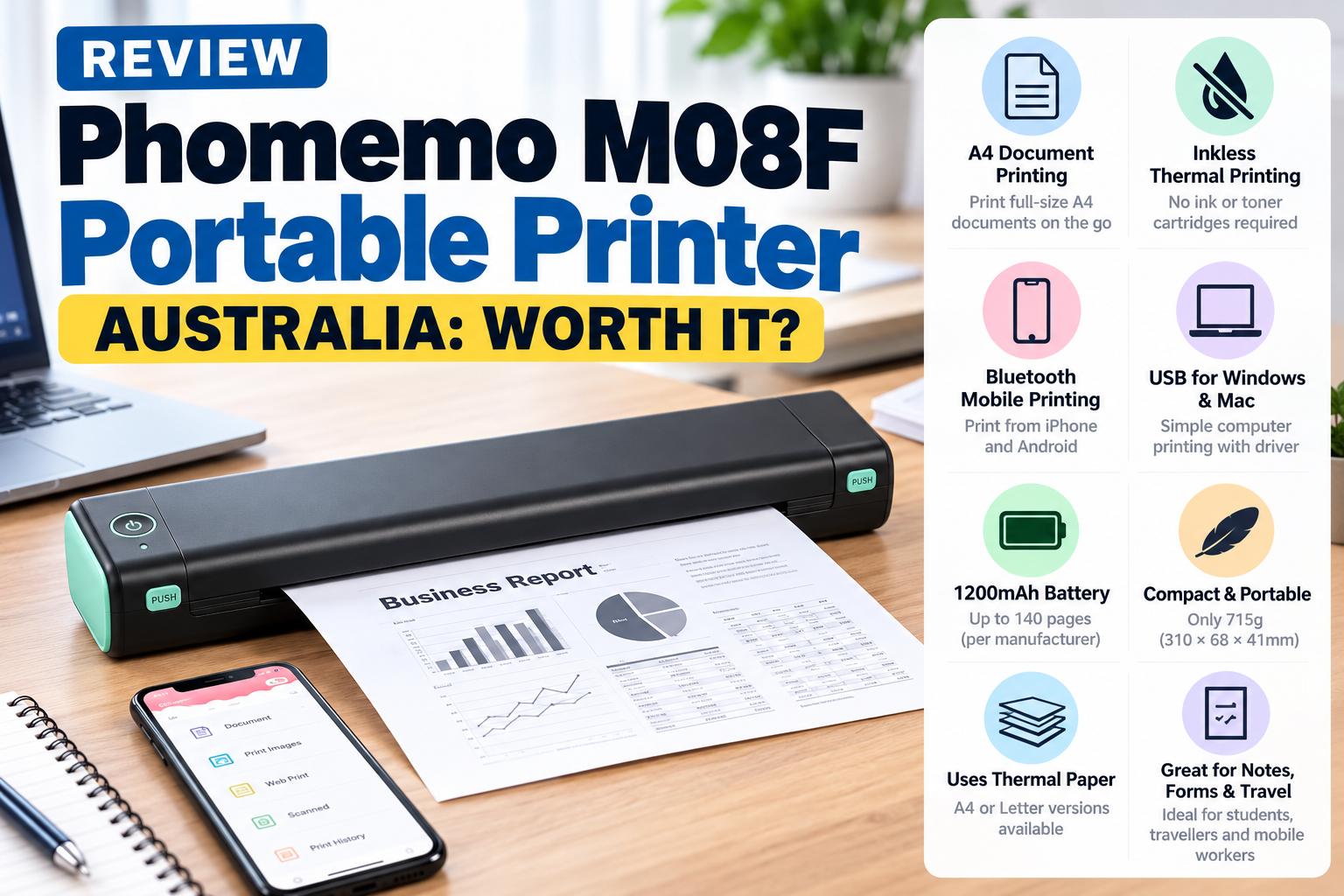
If you’re considering the Phomemo M08F portable printer in Australia, its main attraction is simple: it gives you full-size portable document printing without ink cartridges or toner.
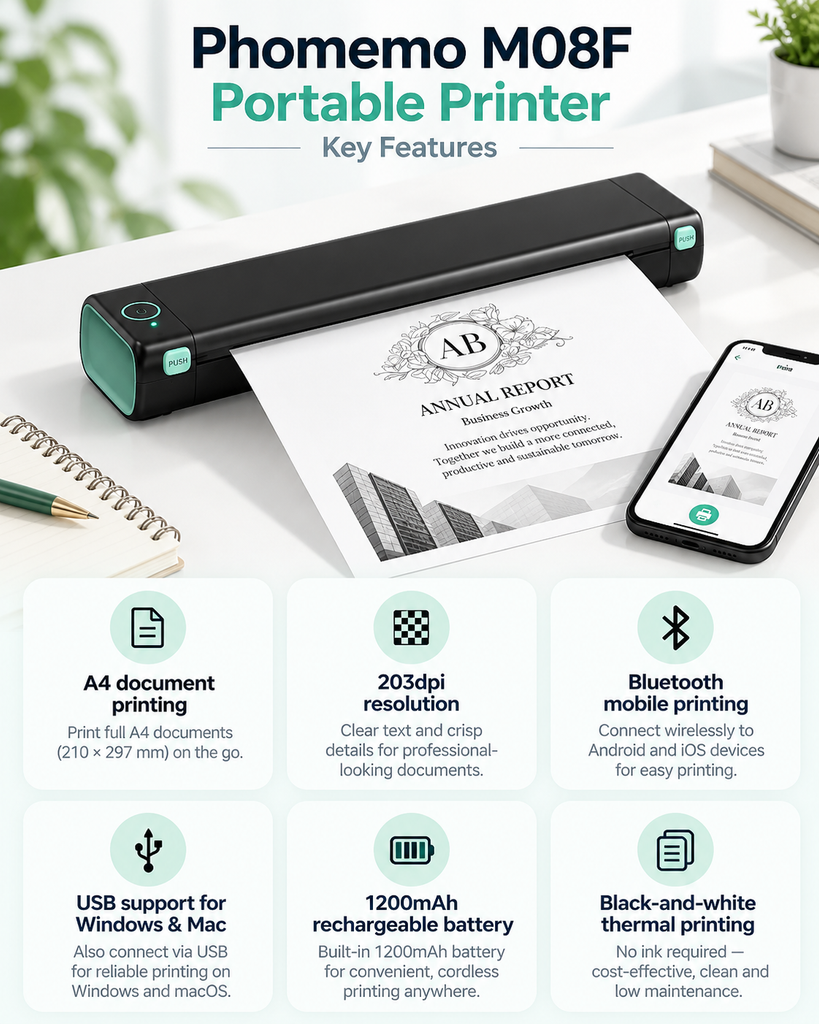
The M08F uses direct thermal technology, has a 203dpi printhead, a rechargeable 1200mAh battery and is small enough to carry with a laptop or other mobile-work equipment.
It can print from compatible phones and tablets using Bluetooth, while Windows and Mac computers can connect through USB with the appropriate Phomemo driver installed.
There are important limitations, though. It requires thermal paper, prints in black and white, and thermal documents aren’t the best option for information that must remain readable for many years.
There’s also some confusion around the M08F name because Phomemo sells a separate tattoo-stencil version. This review focuses on the M08F A4/Letter document printer, not the dedicated tattoo stencil model.
So, is the Phomemo M08F worth buying? Here’s what Australian buyers should know.
Phomemo M08F Portable Printer Review: Quick Verdict
Our editorial rating: 7.5/10
The Phomemo M08F portable printer looks like a practical option for buyers who value portability more than high print resolution or advanced paper flexibility.
Its 203dpi output should be suitable for normal text documents, worksheets, forms, invoices and basic graphics. The 1200mAh rechargeable battery and slim design also make it considerably easier to carry than a conventional home printer.
However, buyers should understand what they’re getting. This is not a colour printer, it requires compatible thermal paper and the M08F is less capable on paper than Phomemo’s newer M834, which offers higher resolution and a larger battery.
Best for: students, travellers, occasional home printing, mobile workers, forms, notes, invoices and temporary black-and-white documents.
Not ideal for: colour printing, photographs, high-volume office use or important records that need long-term archival storage.
Check the Phomemo M08F on Amazon Australia
Phomemo M08F Specifications
| Model | Phomemo M08F |
| Printing technology | Direct thermal / inkless |
| Resolution | 203dpi |
| Print colour | Black and white |
| Paper | A4 or Letter thermal paper depending on version |
| Mobile printing | Bluetooth |
| Computer printing | USB with appropriate driver |
| Mobile platforms | iOS and Android |
| Computer support | Windows and macOS |
| Battery | 1200mAh rechargeable lithium battery |
| Manufacturer-rated printing | Up to approximately 140 pages under Phomemo test conditions |
| Print speed | 13–15mm/s |
| Weight | Approximately 715g |
| Dimensions | 310 × 68 × 41mm |
| Charging interface | USB Type-C |
What Is the Phomemo M08F?
The M08F is a compact direct thermal document printer designed to make A4 or Letter printing portable.
Instead of putting liquid ink or toner onto ordinary paper, a thermal printhead heats specially coated thermal paper. The heated areas darken to form the text or image.
That means there are no conventional ink cartridges, toner cartridges or ribbons to replace.
The trade-off is that ordinary untreated A4 copy paper generally won’t work. You need compatible thermal paper.
If you’re still deciding whether this printing technology makes sense for you at all, read our guide on whether inkless printers are worth it before choosing a particular model.
M08F Document Printer vs Tattoo Version
This is worth explaining because search results for the M08F can be confusing.
Phomemo markets both a portable document-printer version and a separate tattoo-stencil version under the M08F name.
This article is about the portable document printer designed for A4 or Letter thermal paper.
If you’re shopping online, check the product listing carefully rather than buying based only on the words “M08F”.
For normal office, study or travel printing, look for references to A4 or Letter document printing rather than a listing specifically marketed for tattoo stencil or transfer paper.
Design and Portability
Portability is the main reason the Phomemo M08F portable printer exists.
Phomemo lists dimensions of approximately 310 × 68 × 41mm and a weight of around 715g.
That makes it much easier to carry than a traditional A4 desktop printer.
It should fit into many laptop bags, larger backpacks, vehicle storage compartments or small home-office spaces without needing a permanent printer desk.
There is also no large cartridge compartment or traditional paper tray.
You still need to carry compatible thermal paper, so it isn’t completely supply-free, but the overall setup is considerably more compact than a normal inkjet printer.
How Good Is 203dpi Printing?
The M08F uses a 203dpi thermal printhead.
That isn’t particularly high by conventional printer standards, but resolution needs to be considered in context.
For normal monochrome documents, 203dpi can be sufficient for:
- study notes
- worksheets
- forms
- invoices
- checklists
- basic diagrams
- temporary contracts and reference copies
Where it becomes less attractive is very small text, detailed graphics or situations where you want the crispest possible output.
Phomemo’s M834, for example, uses a 300dpi printhead, which gives it an advantage if print definition is a priority.
For basic portable document printing, though, the M08F’s 203dpi specification is reasonable.
What Paper Does the Phomemo M08F Use?
The M08F is designed for compatible thermal paper rather than ordinary photocopy paper.
Phomemo sells A4 and Letter versions of the printer, so Australian buyers should pay close attention to the exact version they’re ordering.
For most Australian document printing, A4 is the obvious choice.
Don’t assume that every piece of paper labelled “thermal paper” will automatically work correctly. Check the paper format and manufacturer compatibility information before buying a large quantity.
Our A4 thermal printer paper buying guide covers compatible paper, sheets versus rolls and what to check before ordering replacement supplies.
Can You Use Normal A4 Paper?
No, not for normal direct thermal printing.
Standard A4 photocopy paper doesn’t contain the heat-sensitive coating required to create the printed image.
This is one of the most important things to understand before buying any inkless thermal printer.
The absence of cartridges reduces one ongoing expense, but thermal paper replaces ink or toner as the consumable you need to keep buying.
Printing From an iPhone or Android Phone
The M08F supports Bluetooth mobile printing from compatible iOS and Android devices.
That makes sense for a portable printer because many documents are now received through email, messaging apps or cloud storage while you’re away from a normal desk.
If the document is already on your phone, being able to send it to the printer without unpacking a laptop is convenient.
As with any printer that relies partly on an app, we’d check that your current phone and operating-system version are supported before buying.
Can the Phomemo M08F Print From a Laptop?
Yes, but there is an important detail.
Phomemo’s current support instructions state that Windows PCs and Macs connect to the M08F through USB after the appropriate driver is installed.
In other words, don’t assume that because the printer has Bluetooth for mobile devices, you’ll also print wirelessly from a Windows or Mac laptop.
For computer printing, we’d plan on using the USB connection.
This is still useful for travellers and mobile workers because you can use Bluetooth from a phone and USB when working from a laptop.
You can check current installation information through Phomemo’s official M08F app and driver support page.
Battery Life
The M08F contains a 1200mAh rechargeable lithium battery.
Phomemo states that it can print up to approximately 140 pages continuously after charging under its testing conditions.
We wouldn’t treat that figure as a guarantee for every user.
Actual battery life can vary depending on print density, document complexity, temperature, battery age and how the printer is being used.
The bigger advantage is simply that you don’t need a wall outlet every time you print.
That is valuable if you’re using the printer in a vehicle, at university, while travelling or at temporary work locations.
What’s Included With the M08F?
Phomemo currently lists the standard document-printer package as including:
- M08F portable printer
- user manual
- USB-C adapter
- USB-C cable
- 10 sheets of thermal paper
Bundles and retailer packages can vary, so we’d still check the exact listing before ordering.
Does the Phomemo M08F Need Ink?
No.
The Phomemo M08F portable printer uses direct thermal printing, so there are no ink or toner cartridges required for normal document printing.
This can be particularly useful for people who only print occasionally.
With a conventional inkjet printer, cartridges can become an annoyance when the machine sits unused for long periods.
The M08F removes that issue, although you still need to keep suitable thermal paper available.
Advantages of the Phomemo M08F
Portable design
At approximately 715g, it is far easier to carry than most full-size desktop printers.
No ink cartridges
Direct thermal technology removes the need to purchase or maintain traditional ink cartridges.
A4 document printing
The A4 version is particularly relevant for Australian buyers printing normal documents, forms and study material.
Bluetooth mobile printing
You can print from compatible phones and tablets without having to connect the printer to a computer.
Computer support
USB printing with Windows and macOS gives the M08F more flexibility than a mobile-only printer.
Rechargeable battery
You aren’t tied to a wall outlet whenever you need to print.
Disadvantages of the Phomemo M08F
203dpi rather than 300dpi
Print resolution is lower than the newer Phomemo M834.
Thermal paper is required
You can’t use the ordinary A4 copy paper you may already have at home.
Black-and-white printing only
It isn’t suitable for colour photographs, school projects or marketing material.
Computer printing is wired
Phomemo’s support documentation specifies USB for Windows and Mac computer connections.
Thermal prints aren’t ideal for permanent records
Thermal images can deteriorate over time depending on paper quality and storage conditions.
Phomemo M08F vs M834
If you’re already looking at Phomemo printers, this is probably the most useful comparison.
| Feature | Phomemo M08F | Phomemo M834 |
| Resolution | 203dpi | 300dpi |
| Battery | 1200mAh | 2600mAh |
| Weight | Approx. 715g | Approx. 690g |
| Paper flexibility | A4 or Letter versions | A4, Letter and several narrower formats |
| Best reason to choose | Simple portable A4/Letter printing | Higher resolution and greater paper flexibility |
Based on specifications alone, the M834 is the more capable printer.
It has a 300dpi printhead, a significantly larger battery and broader paper-size support.
The M08F can still make sense if you mainly need straightforward A4 document printing and find it at a more attractive price.
For a closer look at the higher-spec model, see our full Phomemo M834 printer review.
Phomemo M08F vs Kmart Anko Inkless A4 Printer
The Anko Inkless A4 Printer is another obvious option for Australian buyers.
The Anko’s biggest strengths are its lower-cost positioning and easy availability through a major Australian retailer.
The M08F comes from a company with a larger portable thermal-printer ecosystem and has established A4/Letter document-printer support.
If your priority is simply trying inkless printing for as little as possible, the Anko may be attractive.
If you specifically want a Phomemo portable printer and its software, paper ecosystem and accessories, the M08F is the more relevant choice.
Read our Anko Inkless A4 Printer review for a closer look at the Kmart option.
Who Is the Phomemo M08F Best For?
We think it makes the most sense for people who need occasional documents and genuinely benefit from portability.
That includes students, travellers, mobile workers, people working from vehicles or temporary locations, and households where a normal full-size printer would take up unnecessary space.
It’s also potentially useful as a secondary printer rather than replacing an existing inkjet or laser machine.
Who Should Avoid It?
We wouldn’t choose the M08F as the main printer if you regularly need colour documents, photographs, very high print volumes or important paperwork that must remain readable for decades.
If most of your printing happens at a permanent desk and portability doesn’t matter, a conventional printer may offer better overall value.
How Long Do M08F Thermal Prints Last?
There isn’t one guaranteed lifespan for every thermal document.
Thermal paper remains chemically sensitive after printing and can be affected by heat, prolonged light exposure, friction and certain chemicals.
For study notes, temporary forms, travel paperwork, drafts and short-term reference documents, this may not be a major concern.
For contracts, certificates, legal documents or important records that need to remain readable for many years, we wouldn’t rely on a thermal print as the only copy.
Keep important information digitally and use a more permanent printing method when long-term retention matters.
Where Can You Buy the Phomemo M08F in Australia?
The M08F is available through online retailers including Amazon Australia and Phomemo’s own store.
Some Amazon Australia listings may be supplied by international sellers, so check the seller, shipping time, warranty arrangements and current price before ordering.
Make sure you’re buying the A4/Letter document printer rather than accidentally selecting the dedicated tattoo-stencil version.
Check the Phomemo M08F on Amazon Australia
Is the Phomemo M08F Worth It?
For the right user, yes.
The Phomemo M08F portable printer gives you a genuinely compact way to print full-size black-and-white documents without carrying ink cartridges.
Its 203dpi resolution and 1200mAh battery aren’t class-leading, particularly now that models such as the M834 offer stronger specifications.
But not everyone needs the more expensive or feature-rich option.
If your priority is straightforward portable A4 printing for documents, notes, forms and temporary paperwork, the M08F still makes sense.
If you want higher resolution, a larger battery or more paper-size flexibility, we’d look at the M834 instead.
If you’re deciding whether a portable thermal printer is a better fit than a conventional home printer, see our thermal printer vs laser printer comparison for the differences in paper, running costs, speed, portability and document lifespan.
You can also see how both fit into the wider market in our guide to the best inkless A4 printers in Australia.
Our Verdict
Editorial rating: 7.5/10
The Phomemo M08F is a straightforward portable thermal printer rather than the most advanced model in Phomemo’s range.
Its strengths are its compact design, rechargeable battery, A4 document support and ability to print from both mobile devices and computers.
The limitations are equally clear: 203dpi resolution, specialised thermal paper, black-and-white output and no suitability for permanent archival documents.
For students, travellers and mobile workers who mainly print temporary documents, those compromises may be reasonable.
Bottom line: A practical portable A4 thermal printer for occasional document printing, but buyers wanting better resolution and more paper flexibility should also compare the Phomemo M834.
Frequently Asked Questions
Does the Phomemo M08F use ink?
No. The M08F uses direct thermal printing, so it doesn’t require ink or toner cartridges.
What resolution is the Phomemo M08F?
The document-printer version uses a 203dpi thermal printhead.
Can the Phomemo M08F print A4 documents?
Yes. Phomemo sells an A4 version designed for full-size A4 thermal documents.
Can the M08F use normal A4 paper?
No. Direct thermal printing requires compatible heat-sensitive thermal paper.
Can I print from an iPhone or Android phone?
Yes. The M08F supports Bluetooth mobile printing with compatible iOS and Android devices.
Can I print from a Windows laptop?
Yes. Phomemo provides a Windows driver, with the printer connected to the computer through USB.
Does the Phomemo M08F work with Mac?
Yes. Phomemo provides macOS instructions and drivers. The Mac connection uses USB.
What size battery does the M08F have?
Phomemo lists a 1200mAh rechargeable lithium battery.
How many pages can the M08F print on a charge?
Phomemo states up to approximately 140 pages of continuous printing under its test conditions. Real-world results can vary.
Is the Phomemo M08F better than the M834?
The M834 has stronger specifications, including 300dpi resolution, a larger 2600mAh battery and broader paper-size support. The M08F remains a simpler option for basic portable A4 or Letter printing.
Is the M08F a tattoo printer?
Phomemo also sells a dedicated M08F tattoo-stencil version. This review covers the A4/Letter document-printer version, so check the exact listing before buying.
Is the Phomemo M08F good for students?
It can be useful for students who mostly print black-and-white notes, worksheets and temporary documents and want something compact.
Sources and Further Reading
- Phomemo – M08F Letter & A4 Portable Printer
- Phomemo – M08F App and Driver Support
- National Archives of Australia – Managing Records on Thermal Papers
- WorkTechScout – Phomemo M834 Printer Review Australia
- WorkTechScout – Best Inkless A4 Printers in Australia
- WorkTechScout – Best A4 Thermal Printer Paper in Australia
- WorkTechScout – Anko Inkless A4 Printer Review
- WorkTechScout – Are Inkless Printers Worth It?
Printer specifications, paper compatibility, prices and retailer availability can change. Check the latest manufacturer and retailer information before purchasing.