Editorial note: This review is based on published product specifications, the official instruction manual and publicly available information. We have not conducted a hands-on laboratory test of this printer. Pricing and availability may change.
In this Anko Inkless A4 Printer review, we look at whether Kmart’s $89 portable thermal printer is worth buying, how it works, and the main advantages and disadvantages to know before you buy.
If you’re looking for a cheap portable printer without the ongoing cost of ink cartridges, Kmart’s Anko Inkless A4 Printer is an interesting option. At the time of writing, it is listed for A$89 at Kmart and Target Australia.
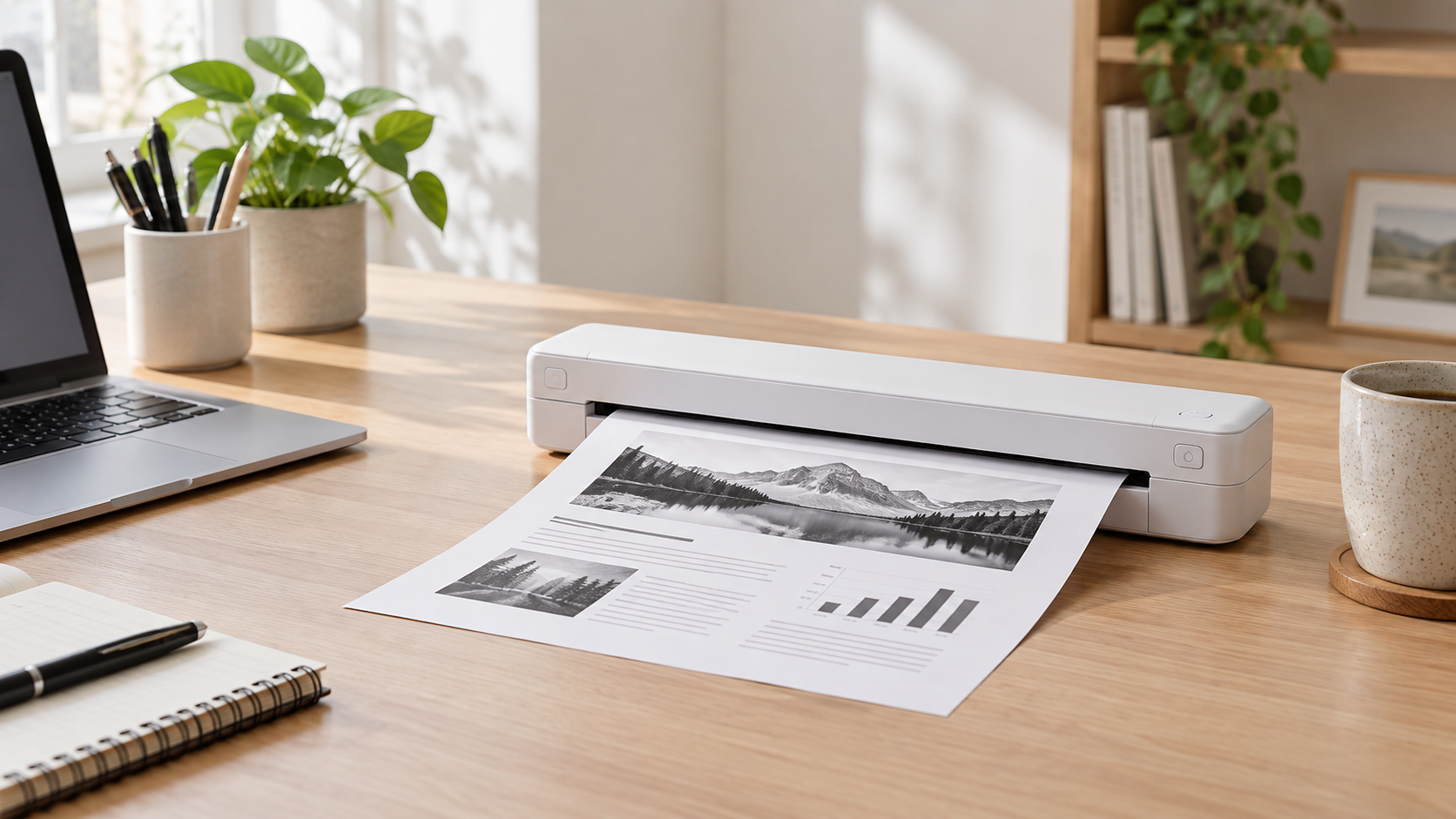
Instead of using ink or toner, the printer uses heat-sensitive thermal paper to produce black-and-white documents. It is compact, rechargeable and can print from a phone using Bluetooth, making it quite different from a traditional home inkjet printer.
But there is an important trade-off: you need special thermal paper, and thermal prints are not the best choice for documents that need to remain readable for many years.
So, is Kmart’s Anko Inkless A4 Printer actually worth buying? Here’s what you should know before spending your money.
Anko Inkless A4 Printer Review: Quick Verdict
Our editorial rating: 7.5/10
The Anko Inkless A4 Printer looks like good value for people who want a simple, portable printer for occasional black-and-white documents. The A$89 price is relatively inexpensive, there are no cartridges to replace, and the rechargeable design makes it useful for students, travellers and people working away from a permanent desk.
However, it is not a direct replacement for a normal inkjet or laser printer. It requires thermal paper, cannot print in colour, and thermal documents may not be suitable for important long-term records.
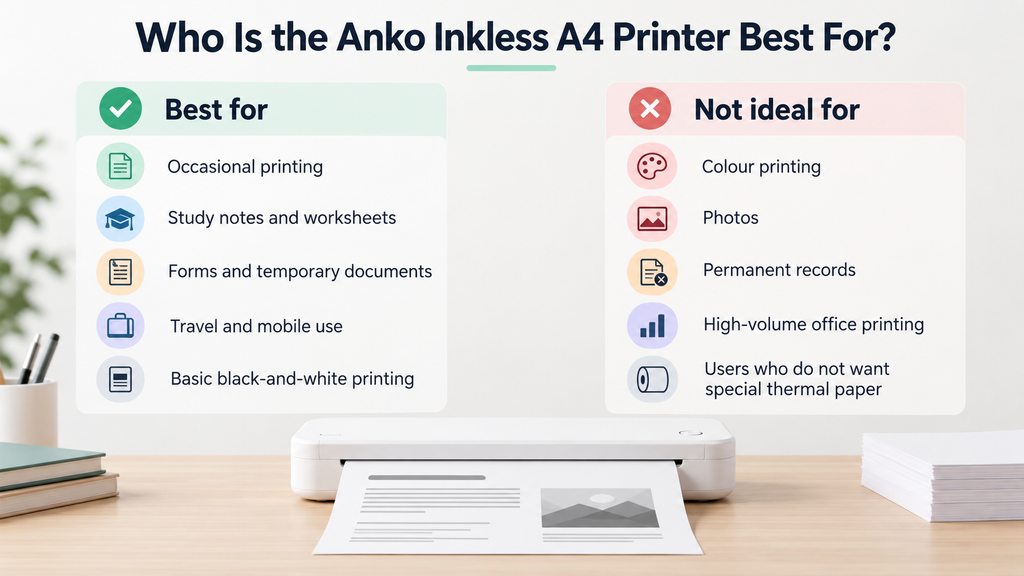
Best for: occasional printing, study notes, lists, forms, temporary documents and portable use.
Not ideal for: colour printing, photographs, permanent records or high-volume office printing.
Anko Inkless A4 Printer Specifications
| Product | Anko Inkless A4 Printer |
| Current price | A$89 at time of writing |
| Printing technology | Direct thermal / inkless |
| Print colour | Black and white |
| Paper | A4 thermal paper |
| Mobile connection | Bluetooth |
| Mobile app | Tiny Print |
| Computer connection | USB Type-C cable |
| Computer compatibility | Windows 8, Windows 10, Windows 11 and supported Intel/ARM macOS systems |
| Charging | USB Type-C |
| Approx. charging time | 3 hours |
| Battery | Rechargeable, non-removable battery |
| Dimensions | 26.5cm wide × 8.2cm high × 4.8cm deep |
| Warranty | 12 months |
What Is an Inkless Printer?
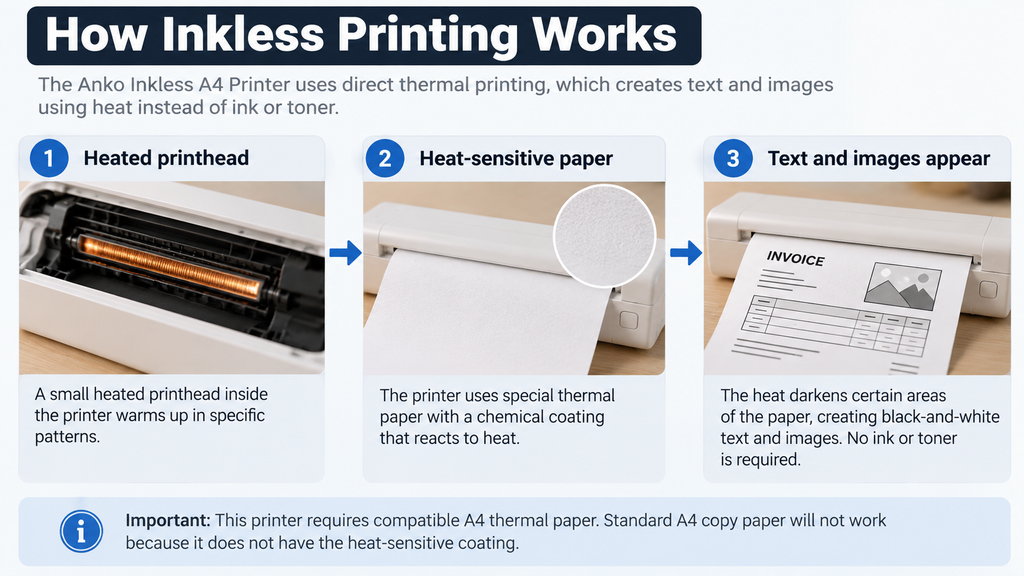
An inkless printer sounds unusual, but the technology is fairly simple.
Instead of spraying liquid ink onto ordinary paper, a thermal printer uses a heated printhead. The heat reacts with a chemical coating on specially designed thermal paper, causing parts of the paper to darken and form text or images.
That means there are no ink cartridges or toner cartridges to replace.
The downside is that you cannot simply load normal A4 copy paper into the printer. You need compatible thermal paper.
What Comes in the Box?
According to the official instruction manual, the package includes:
- 1 × thermal printer
- 1 × charging and data cable
- 1 × A4 thermal paper
- 1 × instruction manual
Including some thermal paper is useful because it means you should be able to try the printer without immediately buying another pack.
Design and Portability
One of the main reasons to consider this printer is its size.
At approximately 26.5 × 8.2 × 4.8cm, it is much smaller than a conventional desktop printer. There is no bulky paper tray, ink cartridge compartment or large scanner unit.
That makes it easier to store in a drawer, backpack, study area or small home office.
A portable design could also make sense for people who occasionally need to print while travelling or working away from home.
Just remember that you’ll also need to carry compatible thermal paper.
How Do You Print From a Phone?
The Anko printer supports Bluetooth printing through the Tiny Print mobile app.
The official instructions say to download Tiny Print from the Apple App Store or Google Play, enable Bluetooth on your phone, open the application and select the printer from the device list.
This is one of the printer’s most useful features because you don’t necessarily need a laptop or desktop computer just to print a document.
Can You Use It With a Windows PC or Mac?
Yes.
The official manual says computer printing is supported through a USB Type-C connection after installing the appropriate printer driver.
Supported operating systems listed in the manual include:
- Windows 11
- Windows 10
- Windows 8
- macOS with Intel processors
- macOS with ARM processors
This makes the Anko more flexible than a portable printer that only works through a mobile application.
Does the Anko Inkless Printer Need Ink?
No. That is the main attraction.
You don’t need traditional ink cartridges or toner. Printing is created using heat and compatible thermal paper.
This eliminates one of the most annoying costs associated with inexpensive inkjet printers: buying replacement cartridges.
However, “no ink” does not mean “no ongoing cost”. You will still need to purchase thermal paper when your supply runs out.
Does It Need Special Paper?
Yes.
This is probably the most important thing to understand before purchasing the printer.
Standard A4 photocopy paper does not contain the heat-sensitive coating required for direct thermal printing. You need compatible A4 thermal paper.
Before buying replacement paper, check its size and compatibility with the printer rather than assuming any A4 paper will work.
If you need replacement paper, see our guide to the best A4 thermal printer paper in Australia for compatible options, paper formats and what to check before ordering.
Can It Print in Colour?
No. Kmart describes the printer as providing dedicated black-and-white printing.
If you need colourful school projects, photographs, presentations or marketing material, a conventional colour inkjet printer is a better option.
If you’re printing illustrations, photography or artwork for display or sale, see our guide to the best printer for art prints for more suitable color and fine-art printing options.
For forms, notes, text documents, checklists and basic diagrams, black-and-white printing may be perfectly adequate.
For colourful stickers, labels and craft projects, see our guide to the best printer for sticker making to compare inkjet printers designed for higher-quality creative output.
Battery and Charging
The printer has an internal rechargeable battery and charges through USB Type-C.
Kmart lists an approximate charging time of three hours.
One detail worth knowing is that the official instruction manual says the printer cannot be operated while its battery is charging. That means you’ll want to keep it charged if you expect to use it away from home.
The batteries are also described as non-removable and non-replaceable, so this is not a device where you can simply swap in a fresh battery later.
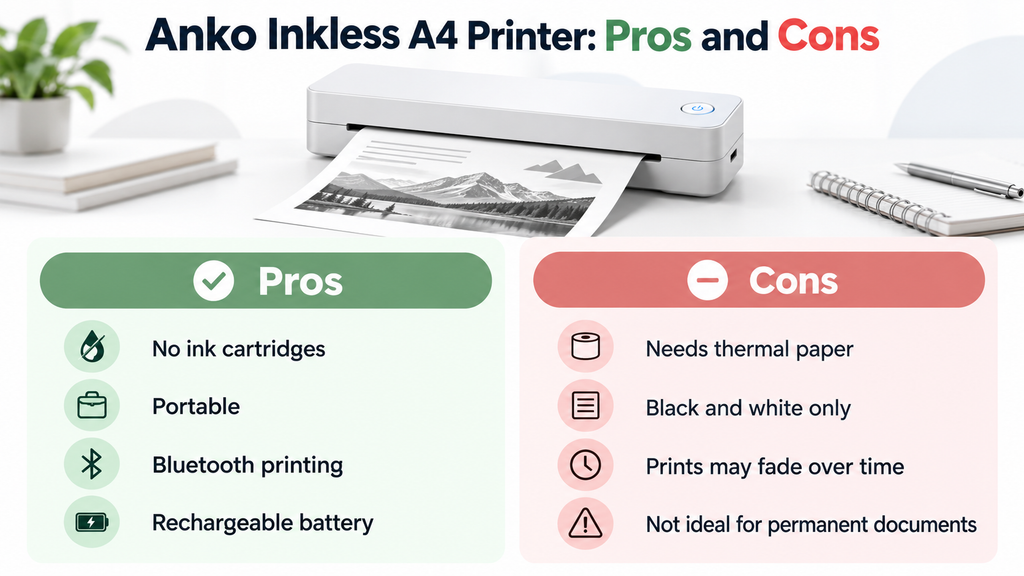
Advantages of the Anko Inkless A4 Printer
No ink cartridges
There are no traditional cartridges to purchase, install or replace. For occasional users who have previously had ink cartridges dry out between printing sessions, this is a significant advantage.
If you already own an inkjet, see our guide on how often you should use an inkjet printer to help reduce the risk of dried ink and clogged nozzles.
Portable size
The slim design takes up considerably less room than a traditional multifunction printer and should be much easier to transport.
Bluetooth mobile printing
The ability to print directly from a phone through Bluetooth is convenient for people who primarily store documents on their mobile devices.
Rechargeable battery
You don’t need to keep the printer permanently connected to a wall outlet while printing.
USB computer printing
Unlike some compact mobile printers, the Anko can also connect to compatible Windows and macOS computers.
Low purchase price
At A$89 at the time of writing, the upfront cost is relatively accessible compared with many specialist portable printers.
Disadvantages of the Anko Inkless A4 Printer
You need thermal paper
The biggest limitation is paper compatibility. You cannot use the packs of standard A4 copy paper you may already have at home.
Black-and-white only
This printer is designed for monochrome documents rather than colour graphics or photographs.
Thermal prints are not ideal for permanent records
The National Archives of Australia warns that thermal paper is less stable than conventional permanent paper and can be affected by heat, light, friction and certain chemicals.
For important documents that need to remain readable for many years, a laser or inkjet print on suitable plain paper is a safer choice.
Cannot print while charging
The official manual states that the printer cannot be operated while charging. This is worth remembering if the battery is flat when you urgently need to print something.
Non-replaceable battery
Because the internal batteries are not designed to be replaced by the user, long-term battery degradation could eventually affect the usefulness of the printer.
Are Thermal Prints Permanent?
This is where a normal printer still has an important advantage.
Thermal paper reacts to heat and other environmental conditions. According to the National Archives of Australia, modern thermal papers can be affected by light, heat, friction and some chemicals, and thermal images can fade over time.
That doesn’t mean your document will suddenly disappear after a few days. But it does mean thermal printing is better suited to documents with a relatively short useful life.
For example, it could work well for:
- study notes
- temporary forms
- checklists
- draft documents
- travel documents where a backup exists digitally
- short-term reference material
For legal documents, certificates, important records or anything that needs to remain readable for many years, we would prefer conventional printing on appropriate paper.
Anko Inkless Printer vs a Normal Inkjet Printer
| Feature | Anko Inkless Printer | Typical Inkjet Printer |
| Ink cartridges | No | Yes |
| Special paper required | Yes, thermal paper | No for normal documents |
| Colour printing | No | Usually yes |
| Portable | Yes | Usually no |
| Rechargeable battery | Yes | Usually no |
| Long-term document storage | Not ideal | Generally better |
| Mobile printing | Yes | Depends on model |
Who Is the Anko Inkless A4 Printer Best For?
Based on its specifications, we think the printer makes the most sense for people who value portability and occasional document printing more than colour or archival-quality output.
Not sure whether thermal printing is the right choice for you? Read our guide on whether inkless printers are worth it to compare the advantages, limitations and best use cases before buying.
Potential users include students, travellers, mobile workers, people living in small spaces and anyone who only prints occasionally and doesn’t want to maintain ink cartridges.
For people who need a printer mainly for use on the road, see our guide to the best portable printer for car use for more suitable mobile and vehicle-focused options.
For mobile workers who specifically need to print invoices, quotes, work orders or customer documents on the road, see our guide to the best portable invoice printer in Australia.
It may also be useful as a secondary printer rather than replacing the main printer in a busy household or office.
Who Should Avoid It?
You should probably look at a conventional inkjet or laser printer instead if you regularly print in colour, need high-volume printing, want photo-quality output or need important documents to remain readable for many years.
Teachers who regularly print worksheets, lesson plans and classroom material can see our guide to the best printer for teachers for higher-capacity color and laser options.
For families printing worksheets, colour projects and other learning material at home, see our guide to the best printer for homeschooling in Australia to compare more suitable ink tank and laser options.
It is also worth considering the ongoing availability and cost of compatible thermal paper before deciding purely on the A$89 purchase price.
Is Kmart’s Anko Inkless A4 Printer Worth It?
Overall, our Anko Inkless A4 Printer review suggests it offers good value for the right type of user.
For the right user, yes.
The Anko Inkless A4 Printer offers a lot of convenience for A$89: no ink cartridges, a rechargeable battery, Bluetooth mobile printing, USB computer connectivity and a genuinely compact design.
Its biggest weakness is not really the printer itself. It is the nature of thermal printing.
You are tied to special paper, printing is black and white, and the finished documents are not the best choice for long-term archival storage.
If you mainly want to print temporary documents, notes, forms and other everyday material, those compromises may be easy to accept.
If you expect it to completely replace a conventional colour printer, you may be disappointed.
Our editorial rating: 7.5/10
Bottom line: A potentially good-value portable printer for occasional black-and-white printing, provided you understand the limitations of thermal paper before buying.
Frequently Asked Questions
Does the Anko Inkless A4 Printer use ink?
No. It uses direct thermal printing technology and compatible heat-sensitive paper instead of ink cartridges or toner.
How much is the Kmart inkless printer?
At the time this article was updated, Kmart Australia lists the Inkless A4 Printer for A$89. Prices can change, so check the retailer for the latest price before purchasing.
Can the Anko inkless printer use normal A4 paper?
No. It requires compatible thermal paper because the paper itself contains the heat-sensitive coating used to create the printed image.
Does the Kmart inkless printer print colour?
No. It is designed for black-and-white printing.
Can I print from my phone?
Yes. The printer supports Bluetooth mobile printing using the Tiny Print application.
Can I use it with a computer?
Yes. The official manual provides instructions for USB printing from supported Windows and macOS computers.
How long does it take to charge?
Kmart lists an approximate charging time of three hours.
Can I use the printer while it is charging?
No. The official instruction manual states that the printer cannot be operated while charging.
Do thermal prints fade?
They can. Thermal paper is sensitive to environmental conditions including light and heat. Important documents that need to be kept for many years are better printed using a more permanent printing method.
Sources and Further Reading
Product specifications and compatibility information were checked against the following sources:
- Kmart Australia – Inkless A4 Printer
- Official Anko Inkless A4 Printer Instruction Manual
- Target Australia – Anko Inkless A4 Printer
- National Archives of Australia – Managing Records on Thermal Papers
Product prices, specifications and availability can change. Check the retailer’s current product listing before purchasing.