Disclosure: This article may contain affiliate links. As an Amazon Associate I earn from qualifying purchases.
Editorial note: This guide is based on current manufacturer specifications, retailer information and publicly available product documentation. We have not conducted hands-on laboratory testing of every printer listed. Print longevity and color appearance depend on the printer, ink, paper, color-management workflow and storage conditions.
The best printer for art prints needs to do more than produce a colorful page.
Artists selling prints or reproducing original work need to think about color quality, fine detail, paper handling, maximum print size and the type of ink being used.
A budget printer may be perfectly adequate for smaller digital illustrations and casual prints, while a professional artist selling premium work may benefit from a pigment-ink printer designed specifically for fine-art and photographic output.
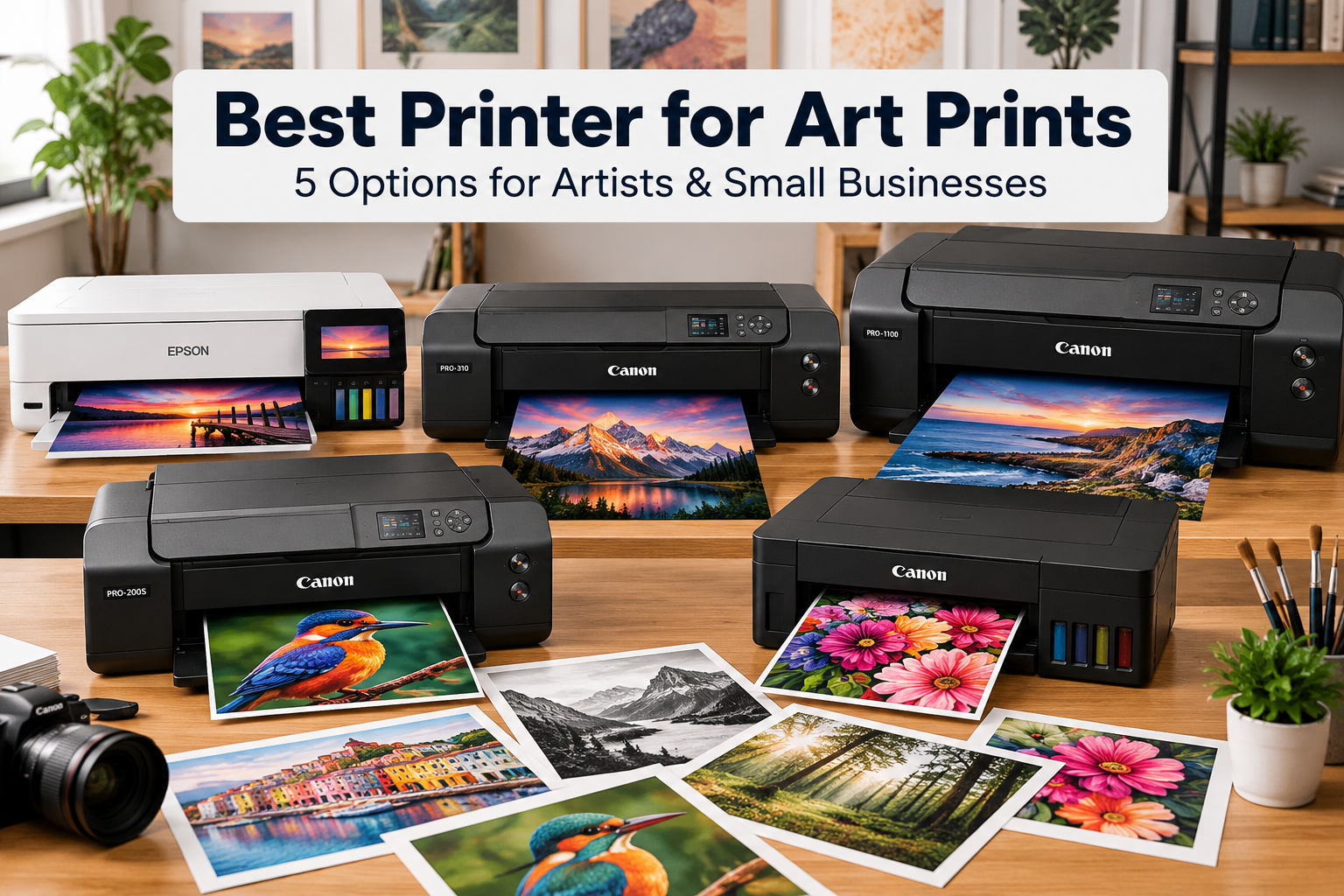
We’ve compared five practical options ranging from a refillable photo printer to professional 13-inch and 17-inch models designed for photographers, illustrators and small art businesses.
Best Printer for Art Prints: Quick Picks
| Printer | Best for | Ink system |
| Epson EcoTank Photo ET-8550 | Best overall | 6-color refillable system |
| Canon imagePROGRAF PRO-310 | Best professional 13-inch option | 9 pigment colors + Chroma Optimizer |
| Canon imagePROGRAF PRO-1100 | Best large-format fine-art option | 11 pigment colors + Chroma Optimizer |
| Canon PIXMA PRO-200S | Best for vibrant dye-based prints | 8-color dye ink |
| Canon PIXMA G620 | Best budget option | 6-color refillable dye ink |
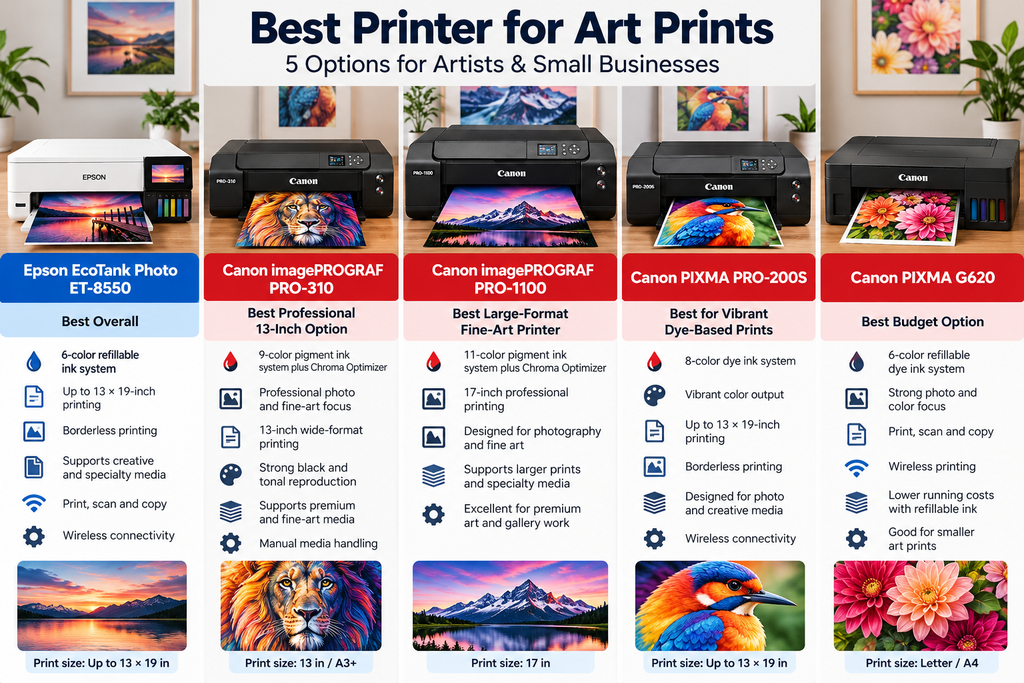
Quick verdict: For most artists printing at home, we’d start with the Epson EcoTank Photo ET-8550. It combines a photo-oriented six-color system, refillable ink and wide-format printing without moving into the running costs of a professional multi-cartridge printer.
Artists who prioritize premium pigment output should look more closely at the Canon imagePROGRAF PRO-310, while the larger PRO-1100 makes more sense for artists who want to move beyond 13-inch printing.
1. Epson EcoTank Photo ET-8550 – Best Overall Printer for Art Prints
The Epson EcoTank Photo ET-8550 offers one of the strongest compromises between image quality, print size and ongoing ink costs.
It uses Epson’s six-color Claria ET Premium ink system rather than the basic four-color arrangement found in many everyday EcoTank printers.
That makes it much better suited to photographs, illustrations, digital artwork and other creative work where gradients and color reproduction matter.
The ET-8550 can print borderless output up to 13 × 19 inches, giving artists considerably more flexibility than a standard Letter-size printer.
It also supports a range of creative and specialty media, making it useful for people producing art prints, cards, photographs and other products from the same machine.
If you also plan to produce stickers or printable vinyl, see our guide to the best printer for sticker making for options focused specifically on sticker paper, Cricut projects and small business use.
The biggest advantage over the professional printers below is the refillable ink system.
If you’re printing regularly for an online shop, market stall or small art business, bottled ink may be easier to justify than repeatedly replacing numerous individual professional ink cartridges.
Why we like it
- Six-color photo-oriented ink system
- Refillable EcoTank bottles
- Up to 13 × 19-inch printing
- Borderless printing
- Supports creative and specialty media
- Print, scan and copy
- Wireless connectivity
- Strong balance between quality and running costs
What to consider
The ET-8550 is aimed at creative and photo printing rather than being a dedicated professional pigment fine-art printer.
If your priority is premium pigment output, specialist fine-art papers and professional print workflows, we’d look more closely at the Canon PRO-310 or PRO-1100.
But for illustrators, digital artists and small businesses producing regular prints at home, the combination of wide-format printing and refillable ink is difficult to ignore.
Check the Epson EcoTank Photo ET-8550 on Amazon
2. Canon imagePROGRAF PRO-310 – Best Professional 13-Inch Pigment Printer
The Canon imagePROGRAF PRO-310 is the professional 13-inch option in this guide.
Canon designed it for photographers and artists who care about color reproduction, black density, premium media and long-term display quality.
The printer uses nine LUCIA PRO II pigment colors plus Chroma Optimizer.
The pigment ink system makes the PRO-310 particularly interesting for fine-art work, premium matte prints and photographic output.
Chroma Optimizer is designed to help improve surface consistency on suitable glossy and semi-gloss media.
For artists selling numbered editions, premium reproductions or higher-priced photographic work, those capabilities may matter more than achieving the lowest possible ink cost.
Why we like it
- 9-color LUCIA PRO II pigment ink system
- Chroma Optimizer
- Professional photo and fine-art focus
- 13-inch wide-format printing
- Strong black and tonal reproduction
- Supports premium and fine-art media
- Manual media handling for specialty papers
- Good fit for higher-value art prints
What to consider
This is a specialist printer, and running costs will generally be higher than with a refillable EcoTank.
You’re managing a professional multi-ink system rather than inexpensive bottled ink, so it makes most sense when image quality and media flexibility matter more than producing the cheapest possible print.
It also doesn’t include scanning or copying because its focus is professional-quality printing.
For serious artists who want a dedicated 13-inch pigment printer, however, the PRO-310 is one of the strongest choices in this comparison.
Check the Canon imagePROGRAF PRO-310 on Amazon
3. Canon imagePROGRAF PRO-1100 – Best Large-Format Fine-Art Printer
The Canon imagePROGRAF PRO-1100 takes the professional concept further by moving up to a 17-inch printing platform.
That makes it substantially more suitable for artists who want to produce larger work without immediately moving into commercial floor-standing equipment.
The PRO-1100 uses 11 LUCIA PRO II pigment colors plus Chroma Optimizer.
It is designed for professional photographic and fine-art printing, with particular attention paid to color reproduction, black density and print durability when paired with suitable media.
The 17-inch width also gives artists much more flexibility with larger prints and premium presentation formats.
For someone already selling art successfully and wanting to expand into larger, higher-value prints, this is the step-up option we’d consider.
Why we like it
- 17-inch professional printing
- 11 LUCIA PRO II pigment colors
- Chroma Optimizer
- Designed for photography and fine art
- Supports larger prints than the 13-inch models
- Strong black and tonal reproduction
- Suitable for premium specialty media
- Good option for established artists and print businesses
What to consider
The PRO-1100 is considerably more expensive than the consumer-oriented printers in this guide.
It is also physically larger and uses a more complex professional ink system.
That makes little sense for someone selling only small Letter-size prints or experimenting with art printing for the first time.
But if your business already sells larger premium pieces, the increased print width and pigment-based workflow can justify the investment.
Check the Canon imagePROGRAF PRO-1100 on Amazon
4. Canon PIXMA PRO-200S – Best for Vibrant Dye-Based Art Prints
The Canon PIXMA PRO-200S sits between ordinary consumer photo printers and professional pigment models.
It uses an eight-color dye-based ink system designed to produce vivid colors, smooth gradients and high-quality photographic output.
For illustrators whose work contains bright colors, digital paintings, character art or highly saturated designs, that can be very appealing.
The PRO-200S supports borderless output up to 13 × 19 inches and offers flexible paper handling for photo and creative media.
It is therefore a strong choice for artists who want professional-looking prints but don’t necessarily need a pigment-ink workflow.
If you’re using a photo-quality printer mainly for wedding stationery, see our guide to the best printers for invitations for models suited to cardstock, envelopes and premium invitation printing.
If you’re using the PRO-200S mainly for folded cards or photo cards, see our guide to the best printer for greeting cards for card-focused recommendations.
Why we like it
- Eight-color dye ink system
- Vibrant color output
- Up to 13 × 19-inch printing
- Borderless printing
- Designed for photo and creative media
- Wireless connectivity
- Strong fit for digital illustration
- Useful for photographers and artists
What to consider
The PRO-200S uses cartridges rather than refillable tanks.
Artists selling large quantities of lower-priced prints should therefore calculate ink cost carefully.
It also uses dye ink rather than the professional pigment systems found in the PRO-310 and PRO-1100.
That isn’t automatically a disadvantage. Dye ink can produce excellent color and smooth photographic results.
But artists producing work specifically marketed around long-term fine-art display may prefer a tested pigment-ink and paper combination.
Check the Canon PIXMA PRO-200S on Amazon
5. Canon PIXMA G620 – Best Printer for Art Prints on a Budget
The Canon PIXMA G620 is our budget-oriented recommendation for artists who want a six-color photo ink system without paying professional-printer prices.
It uses six dye-based inks, including red and gray, giving it a more photo-focused color set than a typical four-color home printer.
Canon also uses refillable MegaTank bottles, helping keep ongoing ink costs more manageable.
The compromise is print size.
The G620 is designed around smaller formats rather than A3+ or 13 × 19-inch art prints.
For artists selling 5 × 7, 8 × 10 or Letter-size work, however, that may not matter.
Why we like it
- Six-color dye-based ink system
- Refillable MegaTank bottles
- Strong photo and color focus
- Print, scan and copy
- Wireless printing
- Lower purchase price than professional art printers
- Good for smaller art prints
- Useful for beginners testing home printing
What to consider
The biggest limitation is maximum print size.
If you plan to sell A3 or 13 × 19-inch work, the G620 isn’t the right printer.
Its print speeds are also modest compared with general office printers, although speed is normally less important for art output than print quality.
For artists starting small, though, it provides an affordable way to experiment with a six-color refillable system.
Check the Canon PIXMA G620 on Amazon
Art Printer Comparison
| Printer | Ink system | Print width / size | Best for |
| Epson ET-8550 | 6-color refillable | Up to 13 × 19 in | Best overall / small business |
| Canon PRO-310 | 9 pigment colors + Chroma Optimizer | 13-inch / A3+ | Professional fine art |
| Canon PRO-1100 | 11 pigment colors + Chroma Optimizer | 17-inch | Large-format premium art |
| Canon PRO-200S | 8-color dye | Up to 13 × 19 in | Vibrant illustrations and photos |
| Canon G620 | 6-color refillable dye | Letter-size | Budget art printing |
What Type of Printer Is Best for Art Prints?
For most artists, a photo-oriented inkjet printer is the best starting point.
Standard office printers are designed primarily around documents. Art printers place much more emphasis on color reproduction, gradients, blacks, media handling and photo or fine-art paper.
The next question is whether you want a dye-based or pigment-based workflow.
Dye Ink vs Pigment Ink for Art Prints
Dye ink
Dye ink is widely used in photo printers because it can produce vibrant colors, smooth gradients and attractive glossy prints.
The Canon PRO-200S and G620 use dye-based systems, while the Epson ET-8550 uses a photo-oriented refillable system designed for creative output.
These printers can be excellent for digital illustration, photographs, posters and colorful artwork.
Pigment ink
Pigment inks are commonly used in professional fine-art printers.
The Canon PRO-310 and PRO-1100 use multi-color LUCIA PRO II pigment systems specifically designed for high-quality photographic and fine-art work.
Artists producing gallery work, premium matte prints or editions intended for long-term display may prefer this route.
However, print longevity should never be judged by ink type alone. Paper, coatings, exposure to light, humidity, framing and storage conditions all affect how a print ages.
Best Printer for Artists
The best printer for an artist depends heavily on what you’re selling.
For a digital illustrator producing colorful prints for online orders and craft markets, the Epson ET-8550 is our overall choice because the refillable ink system can make regular production more practical.
For a photographer or fine-art artist producing premium work, we’d move toward the Canon PRO-310.
If you need larger professional prints, the PRO-1100 becomes the more appropriate option.
For highly saturated illustrations and photographic work, the Canon PRO-200S is also extremely appealing.
Best Printer for Art Prints on a Budget
If you’re just starting, don’t assume you need a professional printer immediately.
The Canon G620 gives you six photo-oriented ink colors and refillable tanks at a much lower entry point.
Its Letter-size limitation is significant, but smaller prints are also easier and cheaper to package, store and ship.
If your business grows and customers begin asking for larger sizes, you can upgrade later.
Best Printer for A3 Art Prints
For larger art prints, we’d focus on the Epson ET-8550, Canon PRO-310 and Canon PRO-200S.
These models support approximately A3/A3+ or 13 × 19-inch creative work.
The right choice depends on your priority:
- ET-8550: refillable ink and lower ongoing costs
- PRO-310: professional pigment output
- PRO-200S: vivid dye-based color
If you expect to move beyond A3+, the Canon PRO-1100’s 17-inch platform gives you additional room to expand.
Best Printer for A4 Art Prints
If A4 or Letter-size prints are all you sell, you have far more flexibility.
The Canon G620 becomes much more attractive because its size limitation is no longer a major disadvantage.
The larger printers can obviously print smaller work too, but you don’t necessarily need to pay for wide-format capability if you’ll never use it.
What Paper Should You Use for Art Prints?
The printer is only half of the equation.
The same artwork can look very different depending on the paper.
Common choices include:
- Glossy photo paper
- Luster or semi-gloss paper
- Matte photo paper
- Textured fine-art paper
- Cotton rag paper
- Baryta-style media
Before ordering expensive specialty paper, check that the printer supports the thickness and feed method required by that media.
We’d also buy a small sample pack first rather than committing to hundreds of sheets.
If you also print cards, scrapbook pages or other creative projects, see our guide to the best printer for crafting for printers focused on Cricut, scrapbooking and general craft use.
Do You Need an Archival Printer for Art Prints?
That depends on what you’re selling and how you’re marketing it.
A decorative print sold at a modest price has different requirements from a limited-edition fine-art reproduction marketed for long-term display.
If archival or longevity claims are important to your business, don’t simply describe a print as archival because the printer uses pigment ink.
You need to consider the complete ink-and-paper combination and any longevity testing supplied by the manufacturer.
For this kind of work, the professional pigment models in this guide are the more appropriate starting point.
Can You Sell Art Prints Made With an EcoTank?
Yes, provided the finished print meets the quality level your customers expect.
There’s no rule saying art sold online must come from a professional pigment printer.
The Epson ET-8550 is particularly interesting for small businesses because it combines a six-color creative ink system with refillable bottles and wide-format printing.
The more important questions are:
- Does the color match your artwork closely enough?
- Does the paper suit the design?
- Is the finish consistent across repeat orders?
- Are you making accurate claims about longevity?
- Can you produce each print profitably?
Printing Art at Home vs Using a Print Shop
Home printing gives artists more control.
You can print one copy at a time, test different papers, inspect every order and avoid keeping large inventories.
But outsourcing has advantages too.
A professional print lab can give you access to much larger formats, specialist media and commercial equipment without buying and maintaining it yourself.
Home printing tends to make the most sense when:
- You sell relatively small or medium-size prints
- You want to produce orders on demand
- You frequently test new designs
- You sell at markets or online
- You want control over packaging and quality checks
A print shop may make more sense for very large prints, occasional premium jobs or products requiring equipment you would rarely use.
What to Look for in a Printer for Art Prints
1. Number and type of inks
More ink colors can help improve tonal transitions and color reproduction, but ink count alone doesn’t determine final quality.
Look at the complete printer, paper and color-management workflow.
2. Maximum print size
A Letter-size printer is enough for many online sellers.
If you plan to offer A3 or 13 × 19-inch prints, buy a printer capable of that size from the beginning.
Artists who already know they need larger work may want a 17-inch model such as the PRO-1100.
3. Fine-art paper support
Artists using heavy textured media should pay particular attention to paper thickness and feed paths.
Professional printers often provide dedicated manual feeds for thicker or more specialized media.
4. Running costs
A beautiful test print is irrelevant if you can’t sell it profitably.
Consider ink, paper, rejected prints, packaging and cutting or trimming waste when calculating your real cost per item.
5. Color management
Your screen and printer don’t produce color in the same way.
If color accuracy is critical, learn how ICC profiles and monitor calibration fit into your workflow.
Correct color management can make a larger difference than simply buying a more expensive printer.
6. Borderless printing
Borderless printing is useful for artwork intended to run to the edge of the paper.
For fine-art pieces intended for framing, a white border may actually be preferable.
7. Your selling price
The printer should match the product you’re selling.
A professional pigment printer makes more sense for premium prints than for low-cost novelty artwork where customers are primarily buying the design rather than archival quality.
Which Printer for Art Prints Would We Choose?
For most artists printing and selling their own work, we’d choose the Epson EcoTank Photo ET-8550.
It provides the strongest balance here between creative color capability, 13 × 19-inch output and refillable ink.
For premium professional 13-inch fine-art work, we’d move to the Canon imagePROGRAF PRO-310.
Artists who want to move into larger 17-inch fine-art printing should consider the Canon imagePROGRAF PRO-1100.
The Canon PIXMA PRO-200S is particularly attractive for artists who value vivid dye-based color and photographic output.
For someone testing the waters on a smaller budget, the Canon PIXMA G620 is a practical place to begin if Letter-size prints are enough.
Frequently Asked Questions
What is the best printer for art prints?
For most home-based artists, we’d choose the Epson EcoTank Photo ET-8550 because it combines six-color creative printing, refillable ink and wide-format 13 × 19-inch output. Professional artists prioritizing pigment ink and fine-art media may prefer the Canon PRO-310 or PRO-1100.
What is the best printer for artists?
The Epson ET-8550 is our overall choice for artists producing regular prints at home. The Canon PRO-310 is a stronger option for premium 13-inch pigment work, while the PRO-1100 is aimed at larger professional output.
What is the best printer for art prints on a budget?
The Canon PIXMA G620 is a good budget option if you only need smaller prints. It uses six refillable dye inks and is more photo-focused than a typical four-color home printer.
What is the best printer for A3 art prints?
The Epson ET-8550, Canon PRO-310 and Canon PRO-200S are all suitable candidates for approximately A3/A3+ creative printing. Which is best depends on whether you prioritize refillable ink, pigment ink or vivid dye-based color.
What is the best large-format printer for artists?
Among the models in this guide, the Canon imagePROGRAF PRO-1100 is the large-format professional option. Its 17-inch format is better suited to artists who need larger prints than a standard A3+ printer can provide.
Is pigment ink better for art prints?
Pigment ink is commonly used in professional fine-art printers because of its durability and compatibility with many premium papers. Dye-based photo printers can still produce excellent and highly vibrant art prints, so the better choice depends on your product and longevity requirements.
Can an EcoTank make professional art prints?
The Epson ET-8550 can produce high-quality creative and photo prints and is practical for many small art businesses. Artists selling work specifically marketed around archival permanence may prefer a professional pigment printer and tested fine-art paper combination.
What size printer do I need for art prints?
If you only sell Letter or A4-size work, a standard-width printer may be enough. Artists planning to sell A3 or larger prints should consider a 13-inch model, while a 17-inch printer such as the PRO-1100 provides additional room for larger work.
Can I use cardstock for art prints?
Some printers support cardstock and other thicker media, but compatibility varies significantly. Always check the printer’s supported media thickness and recommended feed path before loading heavy stock.