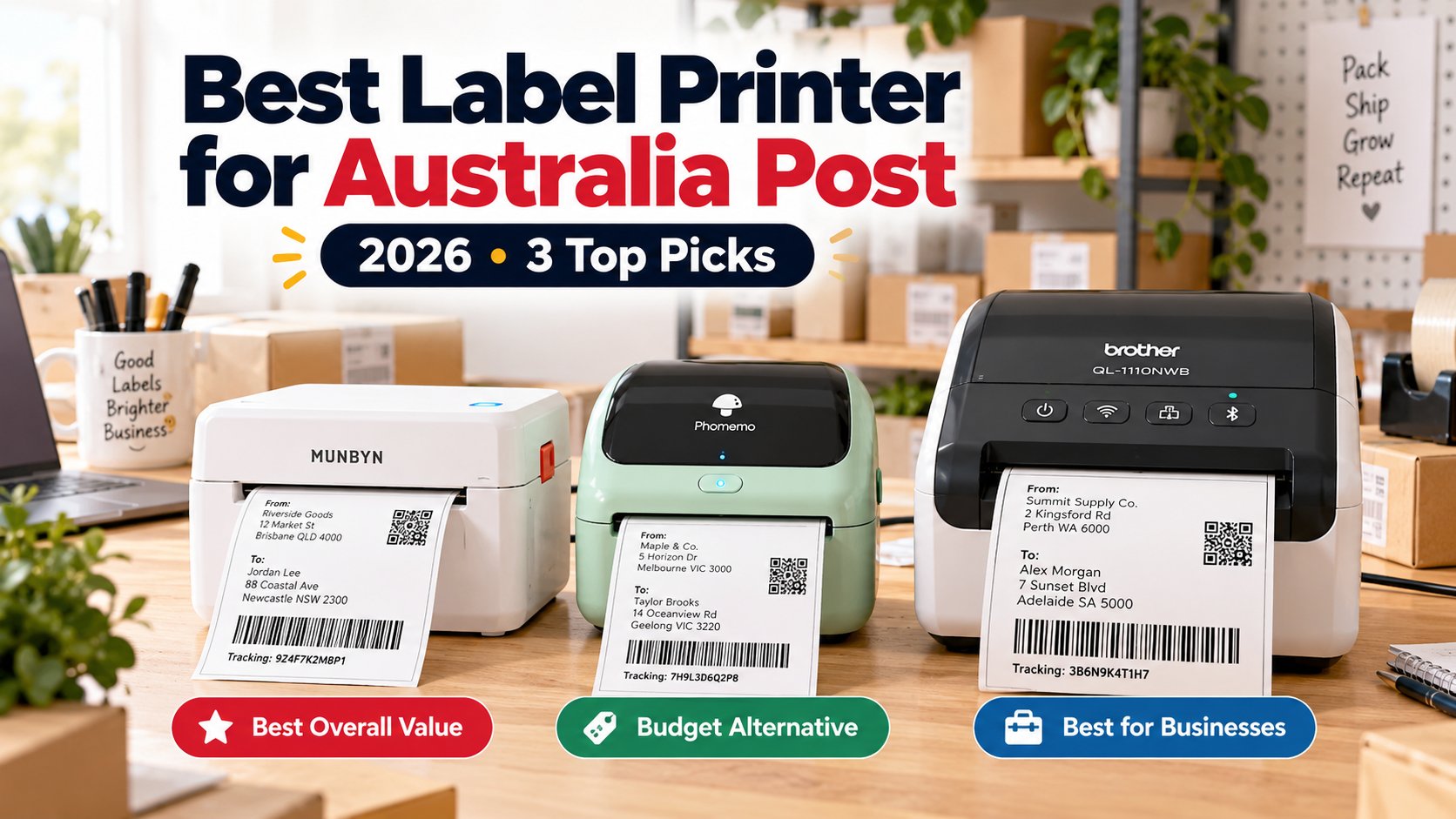
Quick Verdict: The MUNBYN RW403B is our preferred all-round thermal label printer for Australian small businesses. The Phomemo 241BT is a similarly priced alternative with Bluetooth printing, while the Brother QL-1110NWB is worth considering for established businesses needing more connectivity options.
All three support shipping-label workflows, but there are important differences in cost, label compatibility and setup.
Affiliate disclosure: As an Amazon Associate, WorkTechScout earns from qualifying purchases. Our recommendations are based on manufacturer specifications and documented features, not personal hands-on testing.
Best Label Printers for Australia Post — Quick Comparison
| Printer | Best for | Resolution | Connections |
|---|---|---|---|
| MUNBYN RW403B | Overall value | 203 DPI | Bluetooth, USB |
| Phomemo 241BT | Budget alternative | 203 DPI | Bluetooth, USB |
| Brother QL-1110NWB | Established businesses | 300 DPI | Wi-Fi, Ethernet, Bluetooth, USB |
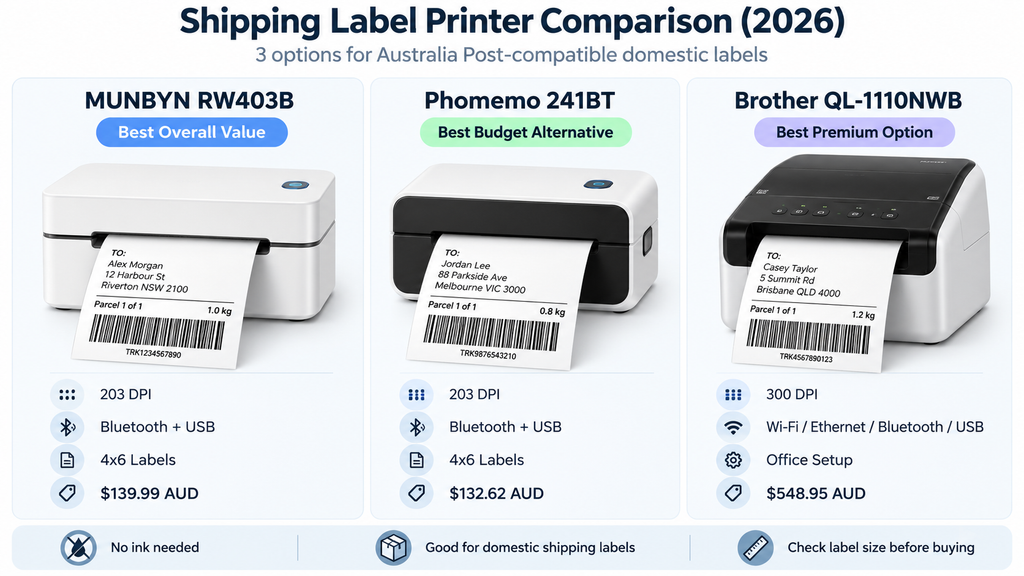
All three are direct thermal printers, meaning they print without ink or toner.
However, they still require compatible thermal labels.
1. MUNBYN RW403B — Best Overall Value
The MUNBYN RW403B is our preferred starting point for Australian small businesses that regularly print shipping labels.
It supports direct thermal label widths between 40 and 108 mm and can handle common 4×6-inch shipping-label formats.
MUNBYN also provides Australia-specific guidance for printing labels from Australia Post and other local shipping services.
Key Features
- 203 DPI print resolution.
- Printing speeds up to 150 mm/s.
- Bluetooth and USB connectivity.
- Compatible with Windows, macOS, iOS and Android.
- Dynamic automatic label calibration.
- No ink or toner required.
What We Like
The RW403B offers useful connectivity options without the cost of a more expensive network printer.
Its automatic label calibration is also useful when changing between different compatible label sizes.
For sellers dispatching parcels from a home office, it offers a sensible balance of convenience and functionality.
What to Consider
Bluetooth setup may differ depending on your device.
You should also print a test label from Australia Post before starting a large batch to ensure the barcode, address and label dimensions are correct.
Our verdict: Best overall choice for small Australian sellers who want a dedicated shipping-label printer without spending heavily on office equipment.
Check MUNBYN RW403B on Amazon Australia
2. Phomemo 241BT — Best Budget Alternative
The Phomemo 241BT is another option for small businesses printing Australia Post shipping labels.
It supports standard 4×6-inch labels and offers Bluetooth connectivity for mobile devices, along with USB printing from a computer.
According to Phomemo, it can print at speeds up to 150 mm/s with 203 DPI resolution.
Key Features
- 203 DPI direct thermal printing.
- Bluetooth for compatible iOS and Android devices.
- USB printing with Windows and macOS.
- Supports wide-format shipping labels.
- Automatic label calibration.
- Compact desktop design.
What We Like
The Phomemo is particularly appealing for sellers who primarily work from their phone.
It is also compact enough to fit into a small home-office packing area.
For an occasional or moderately busy online seller, this could be more than sufficient.
What to Consider
The Phomemo is not dramatically cheaper than the MUNBYN at the prices checked for this article.
Phomemo also recommends using compatible, preferably genuine, thermal labels for consistent results.
Check the operating-system requirements, connection method and replacement-label costs before buying.
Our verdict: A worthwhile alternative for Australian online sellers who want mobile-friendly shipping-label printing at a relatively accessible price.
Check Phomemo 241BT on Amazon Australia
3. Brother QL-1110NWB — Best Premium Business Option
The Brother QL-1110NWB is designed for businesses that need more advanced connectivity and a documented Australia Post printing setup.
Unlike the first two printers, it supports Wi-Fi, Ethernet, Bluetooth and USB.
Brother Australia also provides specific instructions for printing Australia Post MyPost Business and eParcel shipping labels using this model.
Key Features
- 300 DPI print resolution.
- Wi-Fi, Ethernet, Bluetooth and USB.
- Supports Windows, Mac and compatible mobile devices.
- Automatic label cutter.
- Compatible with Brother DK label rolls.
- Official Australia Post printing instructions.
What We Like
The Brother is a particularly useful option for offices with several computers or users.
Its broader connectivity options may be worth paying for when shipping labels are part of a daily business workflow.
The existence of official Australia Post setup instructions is also an advantage.
What to Consider
The biggest drawback is price.
This model costs substantially more than the MUNBYN and Phomemo printers.
It also uses compatible Brother DK label rolls. For Australia Post shipping labels, Brother provides instructions for media such as the DK-11247, which measures 103 × 164 mm.
Check ongoing label-roll costs before purchasing.
Our verdict: A premium option for established businesses needing network connectivity and documented Australia Post compatibility. Smaller sellers may find the less expensive printers sufficient.
Check Brother QL-1110NWB on Amazon Australia
What Size Shipping Labels Does Australia Post Use?
Australia Post offers several label-printing options for domestic MyPost Business shipments.
The main formats are:
- A6: One label per page, suitable for a compatible thermal label printer.
- A4, one label per page: Suitable for printing using an ordinary inkjet or laser printer.
- A4, four labels per page: Suitable for supported label sheets and printers.
Standard domestic Australia Post label PDFs are commonly designed around 101 × 152 mm, close to the familiar 4×6-inch shipping-label format.
However, the physical dimensions of your label roll and printer settings must match.
For example, Brother provides instructions for printing Australia Post labels using its wider DK shipping-label media.
Important: For international shipments using MyPost Business, Australia Post generally specifies A4 printing for the shipping documentation. Certain contract-business workflows may support other formats.
How to Print Australia Post Labels With a Thermal Printer
Once you have a suitable printer, the general process is:
- Sign in to your MyPost Business account.
- Find the shipping-label print settings.
- Select the A6 format for domestic shipping labels.
- Create your shipment and generate the label PDF.
- Open the PDF using your computer or a compatible mobile printing application.
- Select the correct printer and label-media size.
- Print one test label.
Before attaching the label to a parcel, check that the barcode is readable and that no delivery information has been cut off.
For the Brother QL-1110NWB, use Brother’s model-specific Australia Post setup guide.
Is a Thermal Label Printer Worth Buying?
It depends on how frequently you send parcels.
Occasional Sellers
If you only dispatch a few parcels each month, an ordinary A4 printer may be sufficient.
You can print Australia Post labels on paper and attach them securely to your parcels.
You may not need to purchase dedicated equipment immediately.
Small Online Businesses
If you regularly sell through eBay, Shopify, Etsy or another online marketplace, a thermal printer may simplify the packing process.
The advantages include:
- No ink or toner cartridges.
- Convenient adhesive shipping labels.
- Less cutting and taping.
- Faster preparation for repeated parcel dispatches.
Established Businesses
If multiple staff members print labels, a network-capable printer may be more convenient.
That’s where a model such as the Brother QL-1110NWB becomes more attractive.
Frequently Asked Questions
What is the best label printer for Australia Post?
The MUNBYN RW403B is our preferred value-oriented option based on its published specifications and local shipping-label compatibility. The Brother QL-1110NWB is worth considering if you require network connections and official Australia Post setup instructions.
Can I print Australia Post labels using Bluetooth?
Yes, provided your printer supports the required label format and the appropriate software can print the shipping-label PDF correctly.
Bluetooth connectivity alone does not guarantee compatibility.
Do Australia Post label printers need ink?
Direct thermal label printers do not require ink or toner. Instead, they use heat-sensitive label paper.
Can I use a regular printer for Australia Post shipping labels?
Yes. You can print domestic shipping labels using a compatible A4 printer. A dedicated thermal printer is mainly a convenience for regular parcel dispatching.
Can I print shipping labels at the Post Office?
Australia Post offers eligible in-store label printing using QR codes. This can be useful if you do not own a suitable printer.
Do I need a 300 DPI thermal printer?
Not necessarily. Many shipping labels can be printed using suitable 203 DPI thermal printers. Correct settings and readable barcodes are more important than resolution alone.
Final Verdict
For most small Australian businesses, we would start by comparing the MUNBYN RW403B and Phomemo 241BT.
Both offer direct thermal printing, Bluetooth connectivity and support for common shipping-label formats at relatively accessible prices.
If your business needs Wi-Fi, Ethernet and a more advanced office workflow, the Brother QL-1110NWB may justify its higher cost.
Ultimately, the best label printer for Australia Post is the one that matches your parcel volume, printing devices, label-media requirements and budget.