Disclosure: This article may contain affiliate links. As an Amazon Associate I earn from qualifying purchases.
Editorial note: This guide is based on current manufacturer specifications, retailer information and publicly available product documentation. We have not conducted hands-on laboratory testing of every printer listed. Always check that your chosen printable sticker paper or vinyl is compatible with your printer before use.
The best printer for sticker making depends on what kind of stickers you want to produce.
A casual Cricut user printing a few sticker sheets at home has very different needs from an Etsy seller producing colorful designs every day. Print quality matters, but so do ink costs, media handling, maximum paper size and whether you need photo-quality color.
For most sticker makers, a color inkjet is the best place to start. Inkjet printers can handle detailed graphics, gradients and colorful designs that would not be possible with a typical monochrome laser printer.
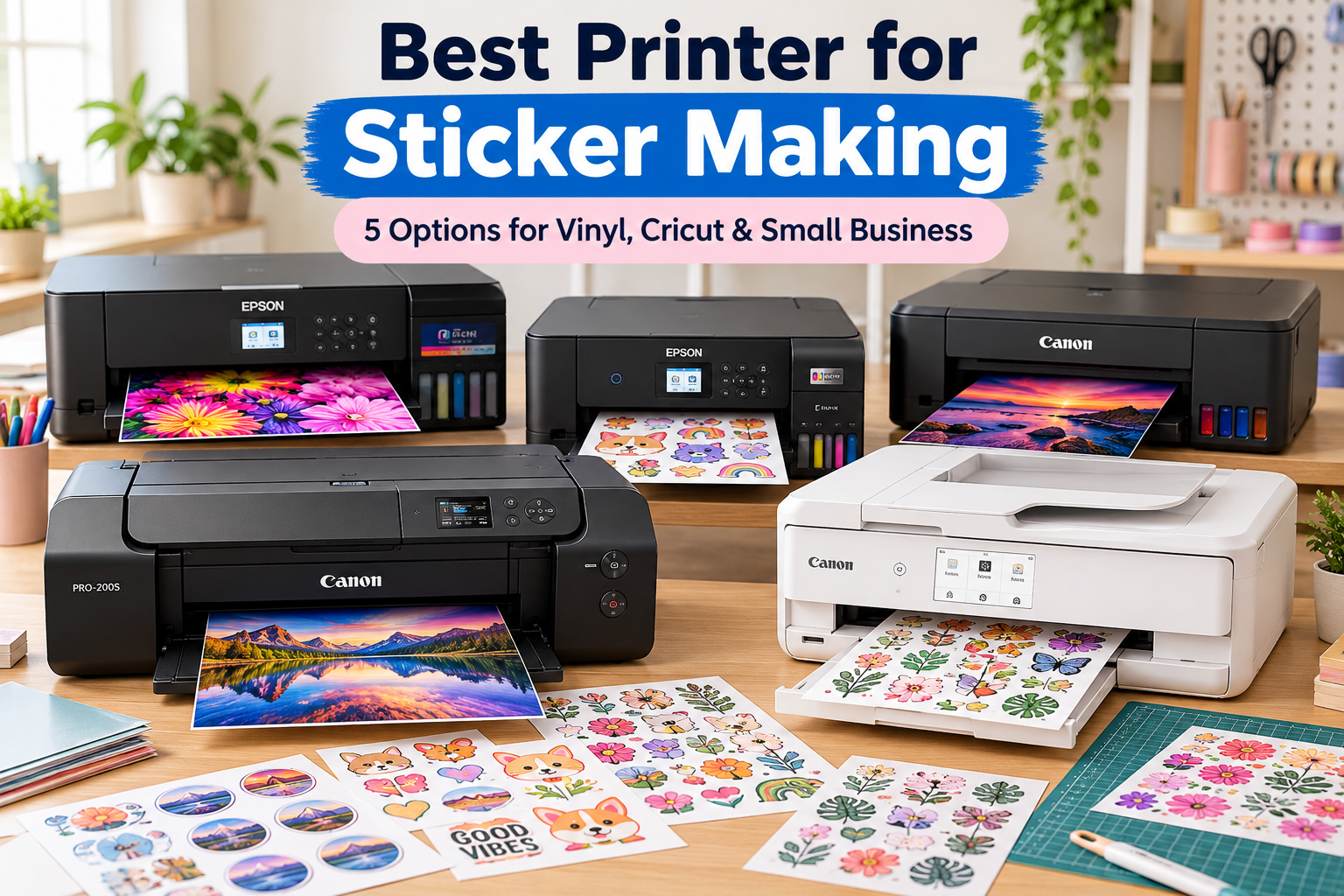
We’ve compared five options ranging from an affordable EcoTank to professional 13-inch photo printers for premium sticker artwork and small businesses.
Best Printer for Sticker Making: Quick Picks
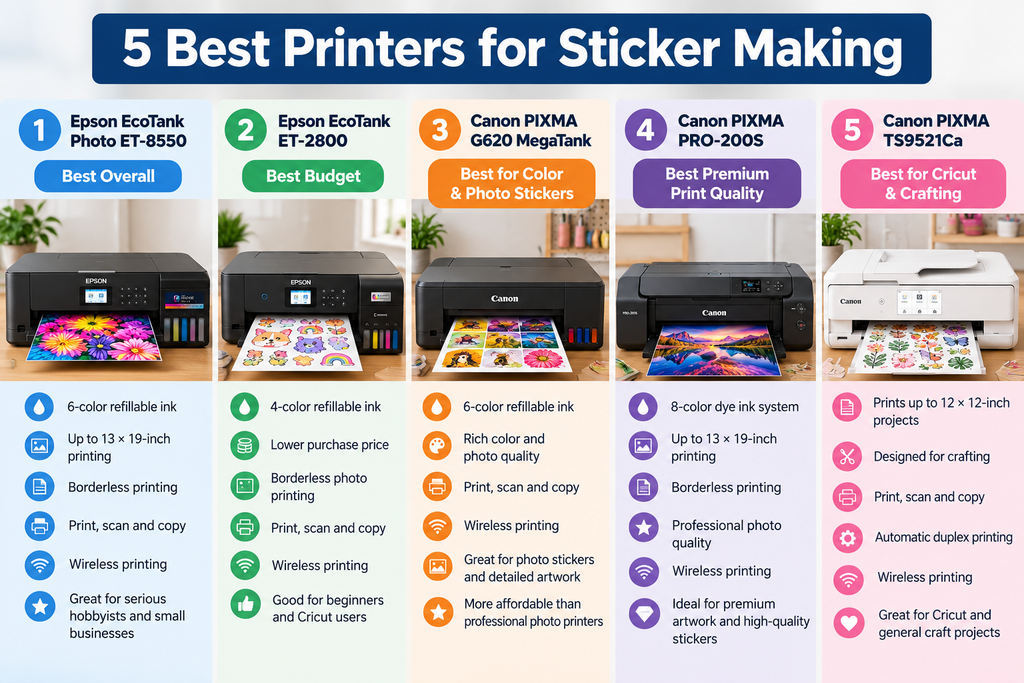
| Printer | Best for | Ink system |
| Epson EcoTank Photo ET-8550 | Best overall | 6-color refillable ink |
| Epson EcoTank ET-2800 | Best budget option | 4-color refillable ink |
| Canon PIXMA G620 MegaTank | Best for colorful photo stickers | 6-color refillable ink |
| Canon PIXMA PRO-200S | Best premium print quality | 8-color dye ink |
| Canon PIXMA TS9521Ca | Best for Cricut and crafting | 5-color cartridge system |
Quick verdict: For serious sticker making, we’d start with the Epson EcoTank Photo ET-8550. Its six-color ink system, refillable tanks and wide-format capability make it the strongest all-round option here. Beginners who want to spend less should look at the Epson EcoTank ET-2800, while Cricut and craft users may prefer the flexible Canon PIXMA TS9521Ca.
1. Epson EcoTank Photo ET-8550 – Best Overall Printer for Sticker Making
The Epson EcoTank Photo ET-8550 is our top choice for people who take sticker making seriously.
It combines a six-color ink system with refillable ink tanks, giving it an unusual balance of strong color output and potentially lower ongoing ink costs than premium cartridge-based photo printers.
The ET-8550 can print borderless media up to 13 × 19 inches, giving you considerably more room than a standard Letter-size printer.
That extra width can be useful if you’re producing larger sticker sheets, artwork, decals or other craft projects.
It is also designed for creative media and photo printing rather than being just a basic home document printer.
For sticker makers, that matters because gradients, shadows, skin tones and small color details can expose the limitations of a basic four-color office printer.
Why we like it
- Six-color ink system
- Refillable EcoTank bottles
- Up to 13 × 19-inch printing
- Borderless printing
- Designed for photos, graphics and creative projects
- Print, scan and copy
- Wireless printing
- Strong fit for serious hobbyists and small businesses
What to consider
The biggest drawback is the purchase price.
If you only want to make a few stickers for a planner or occasional Cricut project, the ET-8550 is probably more printer than you need.
It makes much more sense for someone who regularly produces stickers, photos, artwork or other creative prints and can take advantage of its six-color system and wide-format capability.
Remember that the printer creates the image only. If you want individually shaped die-cut or kiss-cut stickers, you’ll still need a cutting machine such as a Cricut or Silhouette, or you’ll need to cut them manually.
Check the Epson EcoTank Photo ET-8550 on Amazon
2. Epson EcoTank ET-2800 – Best Budget Printer for Sticker Making
The Epson EcoTank ET-2800 is the option we’d consider first for beginners who want refillable ink without paying ET-8550 money.
It is a much simpler printer, using a four-color ink system rather than six colors, but that may be perfectly adequate for basic logos, planner stickers, labels, cartoon artwork and everyday Cricut projects.
The biggest attraction is the EcoTank system.
Instead of replacing small cartridges, you refill the printer from bottles. That can be useful for sticker makers because full-page graphics can consume considerably more ink than ordinary text documents.
The ET-2800 also supports borderless photo printing and includes scanning and copying, making it useful as a general home printer as well.
Why we like it
- Lower purchase price than premium photo printers
- Refillable ink tanks
- Color printing
- Borderless photo printing
- Wireless connectivity
- Print, scan and copy
- Good starting point for Cricut users
- Useful for occasional or hobby sticker making
What to consider
This isn’t a dedicated professional photo printer.
Its four-color system won’t provide the same color range and subtle gradients as the six-color ET-8550 or eight-color Canon PRO-200S.
That matters less for simple graphics and bold designs than it does for photographic stickers or artwork with difficult color transitions.
For someone learning how to make stickers, however, we’d rather start with a sensible printer like this and spend the remaining budget on good printable media and a cutting machine.
Check the Epson EcoTank ET-2800 on Amazon
3. Canon PIXMA G620 MegaTank – Best for Color and Photo Stickers
The Canon PIXMA G620 is particularly interesting for sticker makers who prioritize rich color and photo-style designs.
It uses a six-color dye-based ink system rather than the more common four-color arrangement found in many budget home printers.
That additional color capability makes it appealing for stickers based on photographs, illustrations, portraits and designs where smooth gradients matter.
Like Epson’s EcoTank models, the G620 uses refillable ink bottles rather than conventional small cartridges.
Canon positions the printer heavily around photo output, and the current listing highlights its ability to print thousands of small photos from one complete ink set under Canon’s test conditions.
For a sticker business producing visually rich designs, the combination of six colors and refillable tanks is compelling.
Why we like it
- Six-color dye ink system
- Refillable MegaTank bottles
- Strong color and photo focus
- Print, scan and copy
- Wireless printing
- Suitable for detailed artwork
- Good choice for photo stickers
- More affordable than some professional photo printers
What to consider
The G620 isn’t built around speed.
If your goal is maximum production volume, look beyond color quality and consider how quickly your entire workflow can print, dry, laminate and cut each sheet.
It’s also important to choose sticker media intended for inkjet printing. A material being described as “vinyl” does not automatically mean every inkjet printer can use it safely.
For creators who care more about color quality than raw print speed, however, the G620 is one of the most interesting choices here.
Check the Canon PIXMA G620 on Amazon
4. Canon PIXMA PRO-200S – Best Premium Print Quality
The Canon PIXMA PRO-200S is the premium option in this comparison.
It uses an eight-color dye-based ink system and is designed for photographers and graphic artists who care deeply about color reproduction and print quality.
It can produce borderless prints up to 13 × 19 inches, giving sticker businesses plenty of flexibility for large sheets, artwork and other products.
This is the printer we’d consider when the quality of the finished design matters more than getting the lowest possible ink cost.
Complex illustrations, gradients, artwork and photographic stickers are the kinds of projects where a more sophisticated ink system can become worthwhile.
If your main focus is illustrations, photography or artwork rather than stickers, see our guide to the best printer for art prints for options focused on fine-art media, larger print sizes and professional color output.
For premium wedding cards and stationery rather than sticker production, see our guide to the best printers for invitations for cardstock and invitation-focused options.
Why we like it
- Eight-color dye ink system
- Professional photo and graphics focus
- Up to 13 × 19-inch printing
- Borderless printing
- Strong color reproduction
- Wireless connectivity
- Good choice for premium artwork
- Suitable for creators selling high-quality printed products
What to consider
This is not the economical choice.
The PRO-200S uses individual ink cartridges rather than refillable tanks, and buying eight inks can make ongoing costs more important for high-volume sellers.
It also doesn’t include a scanner because its focus is professional-quality printing rather than being a general-purpose all-in-one.
If you’re selling inexpensive stickers in large quantities, an EcoTank or MegaTank printer may make more financial sense.
If you’re selling premium artwork and want your printer to reproduce your designs as accurately and attractively as possible, the PRO-200S becomes much easier to justify.
Check the Canon PIXMA PRO-200S on Amazon
5. Canon PIXMA TS9521Ca – Best Printer for Sticker Making With Cricut
The Canon PIXMA TS9521Ca is the most craft-oriented printer in this list.
Canon specifically designed it with crafting and scrapbooking in mind, and it can handle large formats including 12 × 12-inch media.
That square size is particularly useful for people already working with craft cutters and scrapbook projects.
The TS9521Ca uses a five-color individual cartridge system and can print, scan and copy.
It also includes automatic duplex printing, a rear paper tray and a front cassette.
For someone whose sticker making is part of a wider crafting hobby rather than a dedicated print business, that versatility is attractive.
If your projects go beyond stickers into cards, scrapbooking and other paper crafts, see our guide to the best printer for crafting for broader Cricut and creative-printing options.
Why we like it
- Designed with crafting in mind
- Supports up to 12 × 12-inch projects
- Color inkjet printing
- Print, scan and copy
- Automatic duplex printing
- Rear paper feed
- Wireless printing
- Good fit for Cricut and general craft projects
What to consider
The TS9521Ca uses cartridges rather than refillable tanks.
If you’re printing hundreds of full-color sticker sheets every month, ink costs deserve careful attention.
But not every sticker maker is running a production business. For someone creating stickers alongside cards, scrapbook pages, labels and other craft projects, the Canon’s broader media flexibility may matter more.
Check the Canon PIXMA TS9521Ca on Amazon
Sticker Printer Comparison
| Printer | Ink system | Max creative size | Best for |
| Epson ET-8550 | 6-color refillable | Up to 13 × 19 in | Best overall / small business |
| Epson ET-2800 | 4-color refillable | Letter-size everyday printing | Beginners and budget buyers |
| Canon G620 | 6-color refillable | Letter-size creative printing | Color and photo stickers |
| Canon PRO-200S | 8-color cartridges | Up to 13 × 19 in | Premium print quality |
| Canon TS9521Ca | 5-color cartridges | Up to 12 × 12 / 11 × 17 in projects | Cricut and crafting |
What Type of Printer Is Best for Sticker Making?
For most people, we’d choose an inkjet printer.
Sticker designs often contain color gradients, illustrations, photographs and small details. A good color inkjet is much better suited to that type of work than a basic monochrome laser printer.
Within inkjets, you have two main choices.
Refillable ink-tank printers
EcoTank and MegaTank models store ink in larger refillable reservoirs.
Their main attraction for sticker making is running cost. Full-color sticker sheets can use plenty of ink, so creators producing substantial volume may appreciate not having to replace small cartridges constantly.
The Epson ET-8550, Epson ET-2800 and Canon G620 all follow this approach.
Cartridge-based photo printers
Premium photo printers may use more colors and concentrate heavily on image quality.
The Canon PRO-200S uses eight dye inks, making it better suited to creators who prioritize color reproduction over the cheapest possible cost per sheet.
The Canon TS9521Ca uses a more conventional five-color cartridge system but provides useful craft-oriented features and media sizes.
Best Printer for Vinyl Stickers
The phrase “vinyl sticker” can be confusing because there are many different printable materials sold as vinyl.
For home inkjet printing, you need printable vinyl specifically designed for inkjet printers.
Do not assume ordinary adhesive vinyl used in cutting machines can simply be put through your printer.
For printable vinyl stickers, we’d favor a printer with good color output and flexible media handling.
The Epson ET-8550 is our first choice in this group because it combines a six-color system with creative-media capabilities.
The Canon G620 is another attractive option when rich colors and photo-style output are priorities.
Always check the printer and media manufacturer’s instructions for thickness, coating and feed compatibility before loading unfamiliar material.
Best Printer for Sticker Making With Cricut
A Cricut does not replace the printer.
For a typical Print Then Cut project, the workflow is:
- Create or import your sticker design.
- Arrange it in your design software.
- Print the design onto compatible sticker paper using your inkjet printer.
- Allow the sheet to dry if necessary.
- Place the printed sheet onto the cutting mat.
- Let the Cricut detect the registration marks and cut the sticker shapes.
For this type of workflow, the Canon PIXMA TS9521Ca is particularly appealing because of its craft-oriented design and support for larger creative formats.
The Epson ET-2800 is the less expensive option we’d consider for someone getting started.
If sticker making develops into a serious business, moving up to something like the ET-8550 can make sense later.
Best Sticker Printer for a Small Business
For a small sticker business, we’d pay attention to more than print quality.
You also need to consider:
- Ink cost
- Replacement ink availability
- Maximum sheet size
- How quickly sheets can be printed
- Consistency across repeat orders
- Compatible sticker media
- Drying time
- Whether stickers will be laminated
- Cutting-machine capacity
Our first choice for this role is the Epson EcoTank Photo ET-8550.
Its refillable six-color system provides a useful compromise between creative print quality and the running-cost advantages of bottled ink.
If maximum print quality is more important than running cost, we’d move toward the Canon PRO-200S.
The Canon G620 also deserves consideration for businesses focused on photo-style and highly colorful stickers.
Do You Need a Cricut to Make Stickers?
No.
A printer creates the printed artwork. A Cricut or similar cutting machine cuts the individual sticker shapes.
You can still make stickers without one by:
- Cutting them manually with scissors
- Using a paper trimmer for square or rectangular stickers
- Using pre-cut label sheets
- Buying another compatible cutting machine
A cutting machine becomes most useful when you’re producing detailed shapes repeatedly.
It also makes a sticker business much easier to scale than manually cutting every design.
Can Any Inkjet Printer Print Stickers?
Many inkjet printers can print on compatible inkjet sticker sheets, but that doesn’t mean every printer will handle every type of material.
You need to check:
- Whether the sticker paper is designed for inkjet printing
- The thickness of the material
- Which paper feed the manufacturer recommends
- The maximum supported media weight
- Whether borderless printing is available for your chosen size
Thicker media can be more difficult to feed through printers designed primarily for ordinary copy paper.
A rear or straighter paper path can therefore be useful for craft work.
If you use your inkjet only occasionally, see our guide on how often you should use an inkjet printer to help reduce the risk of dried ink and clogged printheads.
Dye Ink vs Pigment Ink for Stickers
There is no simple rule that one is always better.
Dye-based inks are popular for photo printing because they can produce vivid colors and smooth gradients.
Pigment-based inks can offer advantages in durability on suitable media, but actual water, UV and scratch resistance depends on the entire combination of ink, coating, sticker material and any laminate applied afterward.
Do not assume a home inkjet sticker is waterproof simply because you’ve printed it onto material marketed as vinyl.
If waterproofing matters, check the sticker-media manufacturer’s instructions and consider a compatible protective laminate.
Matte vs Glossy Sticker Paper
Matte sticker paper
Matte paper usually gives stickers a softer, less reflective appearance.
It can work particularly well for planner stickers, labels, simple illustrations and designs intended to be written on.
Glossy sticker paper
Glossy media can make colors and photographs look more vibrant.
It’s a natural fit for decorative stickers, photo stickers and colorful artwork.
Glossy surfaces can also be less forgiving of fingerprints and may require longer drying times depending on the combination of ink and coating.
Whichever you choose, make sure the material is specifically compatible with your printer type.
What to Look for in a Printer for Sticker Making
1. Color quality
If your stickers are mainly black text labels, almost any competent printer may work.
For artwork, illustrations and photographic designs, color quality becomes much more important.
Printers with additional ink colors can provide an advantage for complex creative work.
2. Ink cost
Sticker sheets can contain far more color coverage than an ordinary office document.
If you plan to sell stickers, ink cost should be part of your product-cost calculation.
This is where refillable EcoTank and MegaTank printers become particularly attractive.
3. Media handling
Sticker paper can be thicker and less flexible than standard copy paper.
Check what types and weights of media your printer supports before buying a large quantity of sticker sheets.
4. Maximum print size
Standard Letter-size printing is enough for many home sticker makers.
Wide-format printers become more useful if you’re producing larger sheets, art prints and other products alongside stickers.
5. Borderless printing
Borderless capability can be useful for some sticker designs and other creative projects.
However, if you’re using a Print Then Cut workflow, the cutting software may need registration marks and margins, so borderless printing isn’t always necessary.
6. Cutting workflow
The printer does not determine how accurately your individual stickers are cut.
That depends on the cutting machine, software setup, calibration and the quality of your printed registration marks.
7. Your actual production volume
Don’t buy a professional photo printer simply because it produces the best-looking test sheet.
If you are just experimenting with sticker making, the Epson ET-2800 may be all you need.
If you’re fulfilling customer orders every week, investing in stronger color reproduction and lower ink costs becomes easier to justify.
Which Printer for Sticker Making Would We Choose?
For serious sticker making, we’d choose the Epson EcoTank Photo ET-8550.
It offers the most balanced combination here of a six-color ink system, refillable tanks, wide-format printing and creative-media capability.
For beginners, we’d start with the Epson EcoTank ET-2800. It’s substantially less expensive while still giving you refillable color printing.
If photo-style color is the priority, we’d consider the Canon PIXMA G620.
For premium artwork where print quality matters more than ink cost, the Canon PIXMA PRO-200S is the specialist option.
And for people whose stickers are part of a wider Cricut, scrapbooking or craft hobby, the Canon PIXMA TS9521Ca is the most flexible crafting-focused choice.
Frequently Asked Questions
What is the best printer for sticker making?
For serious sticker makers, we’d choose the Epson EcoTank Photo ET-8550 because it combines a six-color ink system, refillable tanks and wide-format creative printing. Beginners may get better value from the less expensive Epson EcoTank ET-2800.
What is the best printer for making stickers with Cricut?
The Canon PIXMA TS9521Ca is a strong option for Cricut users because it is designed with crafting in mind and supports larger creative media including 12 × 12-inch projects. The Epson ET-2800 is another practical option for beginners.
What is the best printer for vinyl stickers?
We’d start with the Epson EcoTank Photo ET-8550 or Canon PIXMA G620 for printable inkjet vinyl because both emphasize high-quality color output. Always verify that the specific printable vinyl is compatible with your printer before use.
What is the best printer for a sticker small business?
The Epson ET-8550 is our overall choice for a small sticker business because its refillable six-color system balances image quality with potentially lower ink costs than premium cartridge-based photo printers.
Can a normal printer make stickers?
A normal color inkjet can often print stickers if you use compatible inkjet sticker paper. The quality, media handling and running costs may not be as good as a printer chosen specifically for creative work.
Do I need special ink to print stickers?
Usually no. Home sticker makers normally use the ink designed for their printer. Choosing compatible printable sticker media and the correct printer settings is more important than trying to substitute third-party ink types.
Can an EcoTank print on sticker paper?
Many sticker makers use EcoTank printers with compatible inkjet sticker paper, but media specifications vary by printer and sticker brand. Check the paper thickness and compatibility instructions before loading it.
Can you print waterproof stickers at home?
You can create water-resistant sticker projects at home using suitable printable media and protective laminate, but ordinary inkjet printing should not automatically be treated as waterproof. Durability depends on the ink, media, coating and finishing process.