Disclosure: This article may contain affiliate links. As an Amazon Associate I earn from qualifying purchases.
Editorial note: This guide is based on current manufacturer specifications, retailer information and publicly available product documentation. We have not conducted hands-on laboratory testing of every device listed. Product availability and specifications can change.
Best Portable Printer and Scanner — Quick Answer
If you need one portable device that can print, scan and copy documents, the HP OfficeJet 250 Mobile All-in-One is our first choice. It combines colour inkjet printing, a built-in scanner and rechargeable battery operation.
If you prefer separate devices, consider the Canon PIXMA TR160 portable printer with the Canon imageFORMULA R10 document scanner. The R10 offers duplex scanning and an automatic document feeder.
For occasional scanning, a portable printer paired with a smartphone scanning app may be more convenient and cost-effective.
Our recommendation: Choose the HP OfficeJet 250 if a built-in scanner is essential. Choose separate devices if flexibility matters more.
We’ve compared practical options for Australian travellers, mobile professionals and field workers who need to print and scan documents away from a traditional office.
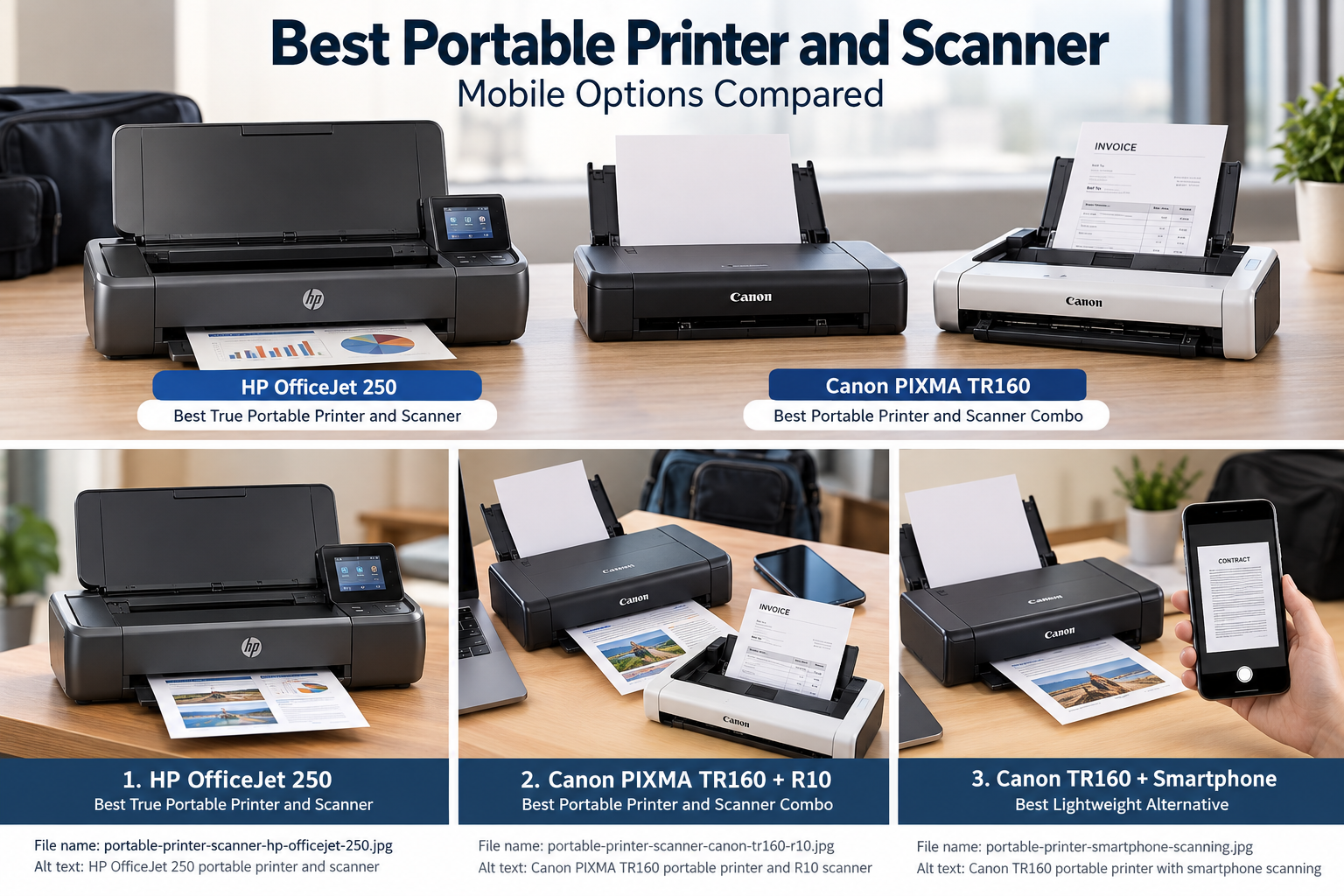
Best Portable Printer and Scanner: Quick Picks
| Setup | Best for | Scanner built in? |
| HP OfficeJet 250 | Best true portable all-in-one | Yes |
| Canon PIXMA TR160 + imageFORMULA R10 | Best portable printer and scanner combo | No – separate scanner |
| Canon PIXMA TR160 + smartphone scanning | Best lightweight alternative | Phone used for scanning |
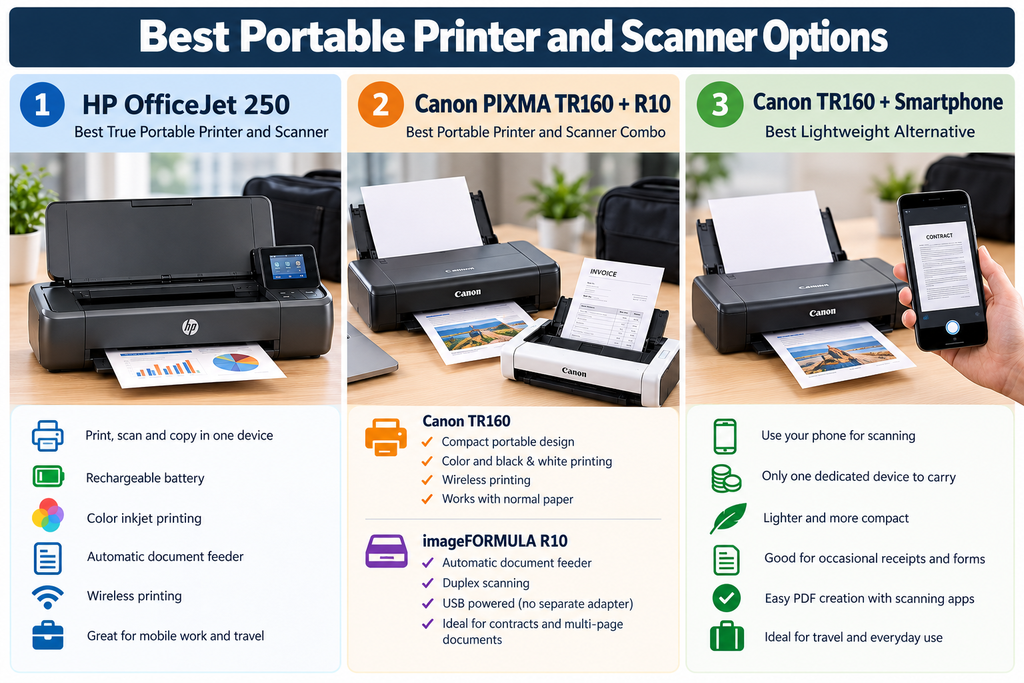
Quick verdict: If you specifically want one device that can print, scan and copy while remaining portable, the HP OfficeJet 250 is the obvious place to start. If you’d rather separate the printer and scanner, the Canon PIXMA TR160 paired with the imageFORMULA R10 gives you a more flexible setup.
1. HP OfficeJet 250 – Best True Portable Printer and Scanner
The HP OfficeJet 250 is the closest match to what most people probably imagine when searching for a portable printer and scanner.
Instead of requiring two separate devices, it combines a color inkjet printer, scanner and copier in one portable unit.
That makes it particularly useful for people who need to print paperwork at a customer location, scan a signed document and keep a digital copy without returning to an office.
The OfficeJet 250 includes a rechargeable battery and supports wireless printing, allowing it to operate away from a permanent desk setup.
It also includes a document feeder for scanning and copying multiple pages, which is a major advantage over using a phone camera or single-sheet portable scanner.
Why we like it
- Printer, scanner and copier in one device
- Rechargeable battery
- Color inkjet printing
- Automatic document feeder
- Wireless and mobile printing
- Suitable for business documents
- No need to carry a separate scanner
What to consider
The biggest downside is weight.
The OfficeJet 250 is considerably heavier than most print-only portable printers because it includes the additional scanning hardware.
It also uses ink cartridges, so there are ongoing consumable costs and the usual maintenance considerations associated with inkjet printers.
Australian availability: The HP OfficeJet 250 is available brand new through Amazon Australia from third-party and international sellers. Check current pricing, delivery costs, warranty and seller details before purchasing. International versions may have different power adapters or support arrangements.
Check the HP OfficeJet 250 on Amazon
2. Canon PIXMA TR160 + imageFORMULA R10 – Best Two-Device Setup
If you don’t mind carrying two compact devices, pairing the Canon PIXMA TR160 with Canon’s imageFORMULA R10 creates one of the most practical portable printer and scanner setups.
The advantage is flexibility.
You get a dedicated portable color printer for everyday printing and a proper document scanner for paperwork, contracts and multi-page forms.
When you don’t need to scan anything, you can simply leave the scanner behind.
Canon PIXMA TR160 Portable Printer
The Canon PIXMA TR160 is designed specifically for portable printing.
It prints both color and black-and-white documents and uses normal compatible paper rather than specialized thermal media.
Wireless connectivity makes it suitable for laptops, phones and tablets, while its compact design is much easier to transport than a conventional desktop inkjet.
For people who need professional-looking documents while traveling or working remotely, that makes it a strong alternative to thermal printers.
Why we like the TR160
- Compact portable design
- Color and black-and-white printing
- Wireless printing
- Works with normal compatible paper
- Good fit for laptops and mobile devices
- Suitable for customer-facing documents
Check the Canon PIXMA TR160 on Amazon
Canon imageFORMULA R10 Portable Scanner
The imageFORMULA R10 handles the scanning side of the setup.
Unlike tiny single-sheet scanners, it includes an automatic document feeder capable of handling multiple pages.
It also supports duplex scanning, so both sides of a document can be captured without manually flipping every sheet.
The scanner is powered over USB, which means you don’t need to carry a separate AC power adapter.
That makes it especially suitable for people who already travel with a laptop.
Why we like the R10
- Portable document-scanner design
- Automatic document feeder
- Duplex scanning
- USB powered
- No separate power adapter required
- Good for contracts, forms and multi-page documents
Check the Canon imageFORMULA R10 on Amazon
Who should choose this combination?
The Canon setup makes the most sense for someone who regularly works from a laptop and wants better scanning capability than a phone camera provides.
It is also useful if you don’t always need to carry a scanner.
For example, you could take only the TR160 on a short trip and bring both devices when you know you’ll be processing paperwork.
The trade-off is obvious: two separate devices take up more space than the HP OfficeJet 250.
Australian pricing and availability: The Canon PIXMA TR160 and imageFORMULA R10 are available separately through Amazon Australia. Together, their advertised prices were approximately $821 AUD when checked in October 2026, excluding additional delivery charges. This setup costs considerably more than the HP OfficeJet 250, so it makes the most sense if you specifically prefer separate printing and scanning devices. Prices and availability may change.
3. Canon PIXMA TR160 + Smartphone Scanning – Best Lightweight Alternative
Not everyone searching for a portable printer scanner actually needs a hardware scanner.
If you only scan an occasional receipt, signed form or contract, your smartphone may already be good enough.
Modern phone scanning apps can detect document edges, correct perspective, improve contrast and combine multiple pages into a PDF.
That means you can carry a portable printer such as the Canon PIXMA TR160 while using your phone whenever something needs to be digitized.
This dramatically reduces the amount of hardware you need to carry.
Why this approach makes sense
- Only one dedicated device to carry
- No separate scanner cost
- Phone is already with you
- Good for occasional receipts and forms
- Easy PDF creation
- Less weight in your travel bag
When a phone isn’t enough
A phone isn’t the best replacement for a dedicated scanner if you regularly handle large stacks of paperwork.
A document scanner is also better when you need consistent alignment, faster multi-page scanning or reliable duplex scanning.
But if you scan only a few documents each week, this may be the most practical portable setup of all.
Check the Canon PIXMA TR160 on Amazon
Portable Printer and Scanner Comparison
| Setup | Printing | Scanning | Number of devices | Best for |
| HP OfficeJet 250 | Color inkjet | Built-in scanner | 1 | All-in-one convenience |
| Canon TR160 + R10 | Color inkjet | Dedicated document scanner | 2 | Frequent document scanning |
| Canon TR160 + smartphone | Color inkjet | Phone camera/app | 1 dedicated device | Occasional scanning and travel |
Are There Really Portable Printers With Built-In Scanners?
Yes, but there are surprisingly few.
Most products marketed as portable printers are designed around one task: printing.
Adding a scanner increases the size, weight, power requirements and mechanical complexity of the machine.
That’s why many popular mobile printers are print-only even though they may be extremely compact.
The HP OfficeJet 250 is unusual because it combines printing, scanning, copying and battery-powered mobility in one unit.
This also explains why searches for terms such as small printer scanner, mobile printer scanner and portable printer scanner combo often produce ordinary desktop all-in-one printers alongside genuine travel printers.
A printer can be small without actually being portable.
Best Portable Printer and Scanner for Travel
For travel, we’d choose based primarily on how often you expect to scan.
If scanning is part of your normal daily workflow, carrying one HP OfficeJet 250 may be easier than managing two devices.
If you need higher flexibility, the Canon TR160 and R10 combination lets you bring the scanner only when necessary.
For occasional scanning, we’d seriously consider skipping the dedicated scanner entirely and using the Canon TR160 with a smartphone.
That reduces both weight and the number of chargers, cables and devices you need to pack.
Best Portable Printer and Scanner for a Laptop
Laptop users have more options because USB-powered scanners become practical.
This is where the Canon TR160 and imageFORMULA R10 combination makes particularly good sense.
The R10 can connect directly to a laptop over USB, while the TR160 handles portable color printing.
You effectively create a compact mobile office without needing to carry a full-size multifunction printer.
The HP OfficeJet 250 is still simpler if you want everything inside one enclosure.
For people working from hotel rooms, client offices, temporary workspaces or vehicles, either setup can be much more convenient than relying on public or hotel printers.
Portable Printer Scanner Combo vs Separate Devices
Choose an all-in-one if:
- You want to carry one device
- You scan frequently
- You need copying as well as scanning
- You want the simplest setup
- A little extra size and weight isn’t a problem
Choose separate devices if:
- You don’t need the scanner every day
- You want a lighter print-only device
- You prefer a dedicated document scanner
- You want to upgrade the printer and scanner independently
- You regularly work from a laptop
Separate devices can actually be more portable in practice because you don’t have to carry both every time.
Can Your Phone Replace a Portable Scanner?
For occasional use, often yes.
A smartphone is particularly useful for:
- Receipts
- Signed forms
- Single-page contracts
- Business cards
- Expense documents
- Basic multi-page PDFs
A dedicated portable scanner becomes more useful when you regularly handle multiple pages, need duplex scanning or want consistent image quality across many documents.
Before spending money on a separate scanner, think realistically about how many pages you scan each week.
If the answer is only a handful, your phone may already solve the problem.
What About Portable Thermal Printers?
Portable thermal printers can be extremely compact because they don’t need ink cartridges or toner.
However, almost all of them are print-only devices.
If you choose a thermal printer, you’ll normally need either a separate scanner or your smartphone for scanning.
Thermal printers also require compatible heat-sensitive paper and usually print only in black and white.
They can still be excellent for invoices, service forms and field work, particularly when keeping printer maintenance low matters more than color printing.
For more detail, see our guide to whether inkless printers are worth it.
What to Look for in a Portable Printer and Scanner
1. True portability
Don’t assume a printer is portable simply because the manufacturer calls it compact.
Check its actual dimensions, weight and whether it can operate away from a permanent wall outlet.
2. Battery operation
If you regularly work away from a desk, battery capability can matter more than maximum print speed.
Also check whether the battery is included or sold separately.
3. Scanner type
A built-in scanner is convenient, but a dedicated document scanner may provide better feeding and multi-page handling.
An automatic document feeder is particularly useful if you regularly scan contracts or forms.
4. Duplex scanning
If you scan two-sided documents frequently, duplex scanning can save a considerable amount of time.
The Canon imageFORMULA R10 supports scanning both sides of a document in one pass.
5. Connectivity
Wi-Fi Direct is useful when you’re away from a normal office network.
USB remains valuable for laptop users because it offers a reliable wired connection and can also power devices such as the Canon R10.
6. Color printing
If everything you print is a basic invoice or form, color may not matter.
For presentations, branded documents, graphics or customer-facing paperwork, a color inkjet is considerably more versatile.
7. How often you scan
This may be the most important question.
If you scan several documents every day, a true portable all-in-one or dedicated document scanner makes sense.
If you scan twice a month, your smartphone may be all you need.
Who Should Buy a Mobile Printer and Scanner?
A portable printer and scanner makes the most sense when paperwork away from a permanent office is part of your normal workflow.
Typical users include:
- Field-service technicians
- Sales representatives
- Inspectors
- Real-estate professionals
- Insurance professionals
- Healthcare and community workers
- Contractors
- Remote workers
- Mobile business owners
- Frequent business travelers
If you mainly work from one desk, a conventional desktop multifunction printer will generally provide more features and higher paper capacity for the money.
If you regularly work from a vehicle, you may also want to see our guide to the best portable printer for car use.
Which Portable Printer and Scanner Would We Choose?
For someone specifically searching for a portable printer and scanner, we’d start with the HP OfficeJet 250.
It remains one of the rare products that combines portable printing, scanning, copying and battery operation in one device.
For people who prefer two dedicated devices, we’d choose the Canon PIXMA TR160 + imageFORMULA R10.
The TR160 gives you portable color printing while the R10 provides proper document scanning with an automatic feeder and duplex capability.
If you only scan occasionally, we’d save the extra money and weight: buy the Canon PIXMA TR160 and use your smartphone for scanning when necessary.
Frequently Asked Questions
What is the best portable printer and scanner?
For people who want printing and scanning built into one mobile device, the HP OfficeJet 250 is our first choice. It combines color printing, scanning, copying and rechargeable battery operation in one unit.
Is there a battery-powered printer and scanner?
Yes. The HP OfficeJet 250 can operate from a rechargeable battery while providing printing, scanning and copying functions.
What is the best portable printer scanner combo?
If you are comfortable carrying two devices, the Canon PIXMA TR160 paired with the Canon imageFORMULA R10 provides portable color printing plus a dedicated duplex document scanner.
What is the best portable printer and scanner for travel?
The HP OfficeJet 250 is convenient because everything is built into one unit. Travelers who scan only occasionally may prefer a lighter portable printer such as the Canon TR160 and use their smartphone for scanning.
Can I use a portable printer and scanner with a laptop?
Yes. Portable printers and document scanners commonly connect through Wi-Fi, Wi-Fi Direct or USB. The Canon imageFORMULA R10 is particularly suited to laptop use because it is powered over USB.
Do portable printers have scanners?
Most do not. The majority of portable printers are print-only devices because adding scanning hardware increases size and weight. The HP OfficeJet 250 is one of the notable portable all-in-one exceptions.
Can I use my phone instead of a portable scanner?
Yes, particularly for occasional forms, receipts and contracts. A dedicated scanner becomes more useful for frequent multi-page scanning, duplex documents and consistent business workflows.
Are portable thermal printers also scanners?
Usually not. Most portable thermal printers are print-only. You normally need a separate document scanner or smartphone scanning app if you choose a thermal printer.