Last updated: 7 November 2026
Affiliate disclosure: As an Amazon Associate I earn from qualifying purchases. This article contains paid affiliate links at no extra cost to you.
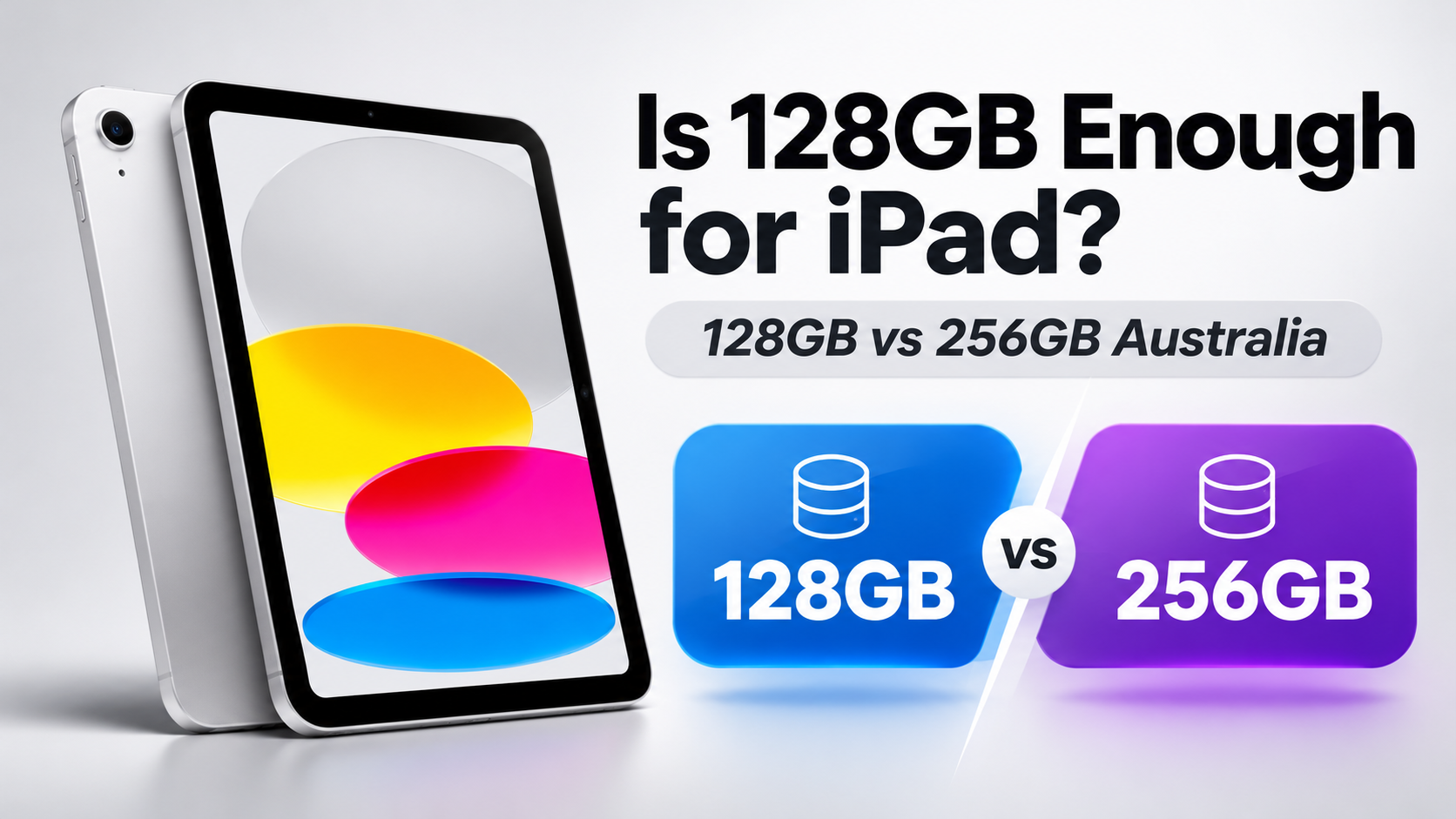
Is 128GB enough for iPad? For most Australian buyers, 128GB is enough for everyday browsing, streaming, studying, video calls and general app usage. However, 256GB may be worth the additional cost if you download large games, store lots of photos and videos or plan to keep your tablet for several years.
Choosing the right storage capacity is important because you cannot upgrade an iPad’s built-in storage after purchasing it.
The current Apple iPad A16 is available in 128GB, 256GB and 512GB configurations. But how much storage do you actually need?
In this Australian buying guide, we compare iPad 128GB vs 256GB, explain the difference in storage, examine current Apple Australia pricing and help you decide which option offers better value.
Is 128GB Enough for iPad? The Short Answer
Yes, 128GB is enough for most everyday iPad users.
If you mainly use Safari, YouTube, Netflix, email, social media, video calls and basic school or office applications, the 128GB model is generally a sensible choice.
However, consider 256GB if you:
- Download many large games.
- Keep lots of movies or television episodes for offline viewing.
- Store large photo and video libraries locally.
- Use drawing or video-editing applications regularly.
- Want additional storage for several years of use.
- Prefer not to manage storage frequently.
Our recommendation: Choose 128GB for normal everyday use. Choose 256GB if you expect to store substantial amounts of content directly on the iPad.
iPad 128GB vs 256GB: What’s the Difference?
The main difference between the two storage configurations is how much content you can keep on your device.
Both versions of the current iPad A16 offer the same processor, display and core features.
Buying the 256GB model does not automatically give you a faster processor or better screen.
| Feature | 128GB iPad | 256GB iPad |
|---|---|---|
| Storage capacity | 128GB | 256GB |
| Processor | Apple A16 | Apple A16 |
| Display | 11-inch Liquid Retina | 11-inch Liquid Retina |
| Everyday performance | Same | Same |
| Storage for apps and files | Standard | Double capacity |
| Best suited for | Everyday use | Heavier storage needs |
It is important to remember that the advertised storage capacity is not entirely available for personal files.
iPadOS, system data, installed applications and temporary files also use storage space.
As a result, the actual space available for your photos, games and documents will be lower than the advertised capacity.
iPad 128GB vs 256GB Price Australia
The additional storage comes at a cost.
Apple Australia currently offers the iPad A16 in three storage configurations.
Official Apple Australia Prices
| iPad A16 Wi-Fi | Apple AU Price |
|---|---|
| 128GB | A$749 |
| 256GB | A$949 |
| 512GB | A$1,299 |
Source: Apple Australia online store. Prices checked 7 November 2026 and may change.
At Apple’s listed prices, upgrading from 128GB to 256GB costs an additional A$200.
That means you are paying A$200 for an extra 128GB of built-in storage.
Whether that is worthwhile depends on your personal usage.
If you rarely download large files, the cheaper model may offer better value.
However, if you use a lot of storage, paying extra at the time of purchase could be more convenient than regularly deleting files later.
Retailer prices may differ from Apple’s official prices, so compare current offers before ordering.
Buy the Apple iPad A16 128GB in Australia
The Apple iPad A16 128GB Wi-Fi is our recommended option for everyday users who want a capable tablet without paying for unnecessary storage.
It features an 11-inch Liquid Retina display, the Apple A16 processor, USB-C connectivity and a landscape 12MP Centre Stage front camera.
Apple iPad A16 – 128GB Wi-Fi
Best for: Everyday browsing, studying, streaming, reading, video calls and light gaming.
- 11-inch Liquid Retina display.
- Apple A16 processor.
- 128GB built-in storage.
- USB-C connectivity.
- Apple Pencil compatibility.
Choose this model if you want to save money and do not regularly store large amounts of content.
Check 128GB iPad Price on Amazon Australia
Paid affiliate link. Check the exact model, configuration, price and seller before buying.
Buy the Apple iPad A16 256GB in Australia
The Apple iPad A16 256GB Wi-Fi is worth considering if you expect to use more storage over time.
It has the same processor and core features as the 128GB model but provides twice the advertised storage capacity.
This makes it better suited to people who regularly download large applications, store photos and videos or want additional storage for long-term use.
Apple iPad A16 – 256GB Wi-Fi, Silver
Best for: Larger game libraries, downloaded entertainment, digital artwork, photos and long-term storage.
- 11-inch Liquid Retina display.
- Apple A16 processor.
- 256GB built-in storage.
- Twice the advertised capacity of the 128GB model.
- More room for applications, downloads and personal files.
Choose this model if you want more flexibility and prefer not to worry about running out of storage as quickly.
Check 256GB iPad Price on Amazon Australia
Paid affiliate link. Amazon prices, availability and sellers may change.
Is 128GB Enough for an iPad for Students?
For most school and university students, 128GB should provide sufficient storage.
Common student activities include:
- Taking notes.
- Reading PDF textbooks.
- Researching information online.
- Using Microsoft Office or Google Docs.
- Joining video calls.
- Completing assignments.
- Streaming entertainment.
Many documents and notes use relatively little storage compared with large games or video files.
Students who store documents in iCloud Drive, OneDrive or Google Drive may be able to manage comfortably with 128GB.
However, creative arts, video production and media students may benefit from 256GB, particularly when working with large projects offline.
Our recommendation for students: Choose 128GB for general schoolwork. Consider 256GB for creative applications, large project files or frequent offline storage.
Is 128GB Enough for iPad Gaming?
For casual gaming, 128GB is generally sufficient.
Games such as puzzles, card games and many casual titles usually require less storage than large console-style mobile games.
However, demanding games can take up substantial storage space, particularly after updates and downloadable content.
If you install several large games simultaneously, 128GB may fill more quickly than expected.
The 256GB model may be worthwhile if you regularly:
- Play large 3D games.
- Install multiple demanding titles.
- Download additional game content.
- Keep games installed for long periods.
- Use the iPad for both gaming and other storage-heavy activities.
Our gaming recommendation: Choose 128GB for casual games or a small collection of large titles. Consider 256GB for a larger gaming library.
Is 128GB Enough for Procreate and Drawing?
For beginners learning digital drawing, 128GB can be enough.
However, digital artwork can consume more storage as you create additional projects.
The amount of space required depends on factors such as canvas dimensions, layers, image resolution and the number of saved projects.
Artists who work with large canvases, imported images, animations or extensive artwork libraries may prefer 256GB.
Another important consideration is the iPad model itself.
Storage capacity does not determine overall drawing performance. Display quality, processor capabilities, memory and Apple Pencil compatibility also matter.
Our drawing recommendation: 128GB is a sensible starting point for casual artwork. Choose 256GB if you expect to create and keep many large projects.
Is 128GB Enough for Photos and Videos?
Photos and especially videos can consume storage quickly.
For everyday photography and occasional video clips, 128GB may be sufficient.
However, people who frequently record videos, download movies or keep years of photographs directly on the device may benefit from additional storage.
High-resolution video can require significantly more storage than documents or photographs.
If you use iCloud Photos with Optimise iPad Storage enabled, your device may retain smaller local versions of some photos while keeping originals in iCloud.
However, iCloud storage and built-in iPad storage are different. Cloud storage does not physically increase your iPad’s internal capacity.
Our recommendation: Consider 256GB if you regularly store large videos or want to keep extensive photo libraries available offline.
Is 128GB Enough for Netflix, YouTube and Streaming?
If you mainly stream content over Wi-Fi, 128GB is usually more than enough.
Streaming services do not require you to store every video permanently on your iPad.
However, downloaded movies and television episodes take up local storage.
If you travel frequently and download entertainment before flights or holidays, 256GB may provide useful extra room.
For people who watch most entertainment at home through Wi-Fi, paying extra for 256GB is often unnecessary.
How Much Storage Does iPadOS Use?
The operating system, pre-installed applications, system data and temporary files all use some of your iPad’s advertised capacity.
The exact amount varies depending on your iPadOS version, installed software and usage.
This means a 128GB iPad does not provide a full 128GB solely for personal files.
It is also sensible to leave some storage available for software updates, downloads and everyday operation.
If your iPad is consistently almost full, you may need to delete applications, remove downloads or move files to cloud or external storage.
How to Check How Much iPad Storage You Really Need
If you already own an iPad, checking your current storage usage is one of the best ways to decide between 128GB and 256GB.
- Open the Settings app.
- Select General.
- Tap iPad Storage.
- Check how much storage is currently being used.
- Review which applications and files use the most space.
Apple also provides recommendations for freeing up storage, including offloading unused applications and removing unnecessary downloads.
If your current device uses considerably less than 128GB and your needs are unlikely to change, a 128GB model may be sufficient.
If you already use close to 100GB or expect substantial growth in your photo, game or project libraries, consider 256GB for additional headroom.
The important thing is to base your decision on your actual usage rather than simply buying the largest available capacity.
Can You Upgrade iPad Storage Later?
No. You cannot replace or upgrade the built-in storage of an iPad after purchasing it.
However, you can manage your storage using options such as:
- iCloud Drive and iCloud Photos.
- Google Drive, OneDrive or other cloud services.
- External USB-C storage for supported files.
- Removing unused applications.
- Deleting downloaded movies and television episodes.
- Offloading applications you rarely use.
External storage and cloud services can be useful, but they do not replace built-in storage for everything.
For example, installed applications and many application data files still require space on the iPad itself.
Is 256GB Worth the Extra Money?
At Apple’s Australian listed prices, the 256GB iPad A16 costs A$200 more than the 128GB model.
That gives you an additional 128GB of internal storage.
For some users, the extra expense may not be worthwhile.
If your main activities are browsing, streaming and reading, the 128GB model may provide the same everyday experience for less money.
However, users who download large games, keep extensive media libraries or work with creative files may appreciate the extra capacity.
Our advice: Spend the extra money on 256GB only if you have a realistic reason to use it.
Which iPad Storage Size Should You Buy?
| Type of User | Recommended Storage |
|---|---|
| General browsing and email | 128GB |
| School and university notes | 128GB |
| Streaming over Wi-Fi | 128GB |
| Casual gaming | 128GB |
| Many large games | 256GB |
| Frequent video downloads | 256GB |
| Large digital art projects | 256GB |
| Extensive local photo/video storage | 256GB or more |
These recommendations are general guidance. Your actual storage needs will depend on the applications and files you use.
Frequently Asked Questions
Is 128GB Enough for an iPad in 2026?
Yes. For most everyday users, 128GB provides enough storage for browsing, email, studying, streaming and general applications. However, users with large gaming, video or creative libraries may benefit from 256GB.
Is 128GB Enough for an iPad for Students?
For most students, 128GB is sufficient for notes, textbooks, assignments and online classes. Students working with large video projects or creative files may prefer 256GB.
Is 128GB Enough for Procreate?
128GB may be sufficient for beginners and casual digital artists. Frequent users working with large canvases and many saved projects should consider 256GB.
Is 256GB Better Than 128GB on an iPad?
256GB provides twice the advertised storage capacity, but it does not automatically improve processor or display performance. It is better for people who need additional space for applications and files.
How Much More Is a 256GB iPad in Australia?
Apple currently lists the iPad A16 128GB Wi-Fi at A$749 and the 256GB Wi-Fi at A$949. That is a A$200 difference at Apple’s listed prices. Retailer pricing may vary.
Can I Add More Storage to a 128GB iPad?
You cannot upgrade the built-in storage after purchase. However, cloud services and compatible external drives can help manage supported files and downloads.
Does iCloud Make 128GB Enough?
iCloud can help reduce the amount of content stored locally, particularly photos and documents. However, it does not increase the iPad’s physical storage capacity, and some applications and downloads still require local space.
Is 128GB Enough for iPad Gaming?
128GB is generally sufficient for casual games. If you regularly install several large games, 256GB may offer more flexibility.
Should I Buy 128GB or 256GB for Long-Term Use?
If you plan to keep your iPad for several years and expect your storage needs to grow, 256GB may be worthwhile. If your usage is light and unlikely to change, 128GB should remain a practical option.
Can I Buy Both Storage Options on Amazon Australia?
Amazon Australia has listings for the current iPad A16 in different storage configurations. Check the product details, seller, availability and latest price before purchasing.
Related iPad Buying Guides
Still deciding which Apple tablet to buy? Explore our other Australian buying guides.
- iPad 12 Price Australia – Expected price, release-date rumours and upgrades for Apple’s next entry-level iPad.
- iPad Mini 8 Price Australia – Official pricing, OLED display, A20 Pro specifications and buying advice.
- iPad Air M5 Price Australia – Expected upgrades, release information and current iPad Air buying options.
- New iPads 2027 Australia – Explore expected prices, release dates and upcoming models.
Final Verdict: Is 128GB Enough for an iPad?
For most Australian buyers, 128GB is enough for an iPad.
It provides a practical amount of storage for browsing, studying, video calls, streaming, note-taking and everyday applications.
The current iPad A16 128GB offers the same processor and display features as the 256GB model at a lower price.
However, the 256GB version is worth considering if you frequently download large games, store extensive media libraries or work with demanding creative projects.
Our recommendation: Buy 128GB if your usage is light or moderate and you want to save money. Choose 256GB if you regularly store large files or want additional capacity for the years ahead.
Before purchasing, compare the latest Amazon Australia listings for both configurations:
- Check Apple iPad A16 128GB on Amazon Australia (paid link)
- Check Apple iPad A16 256GB on Amazon Australia (paid link)
WorkTechScout will update this article as Australian pricing, available models and buying recommendations change.